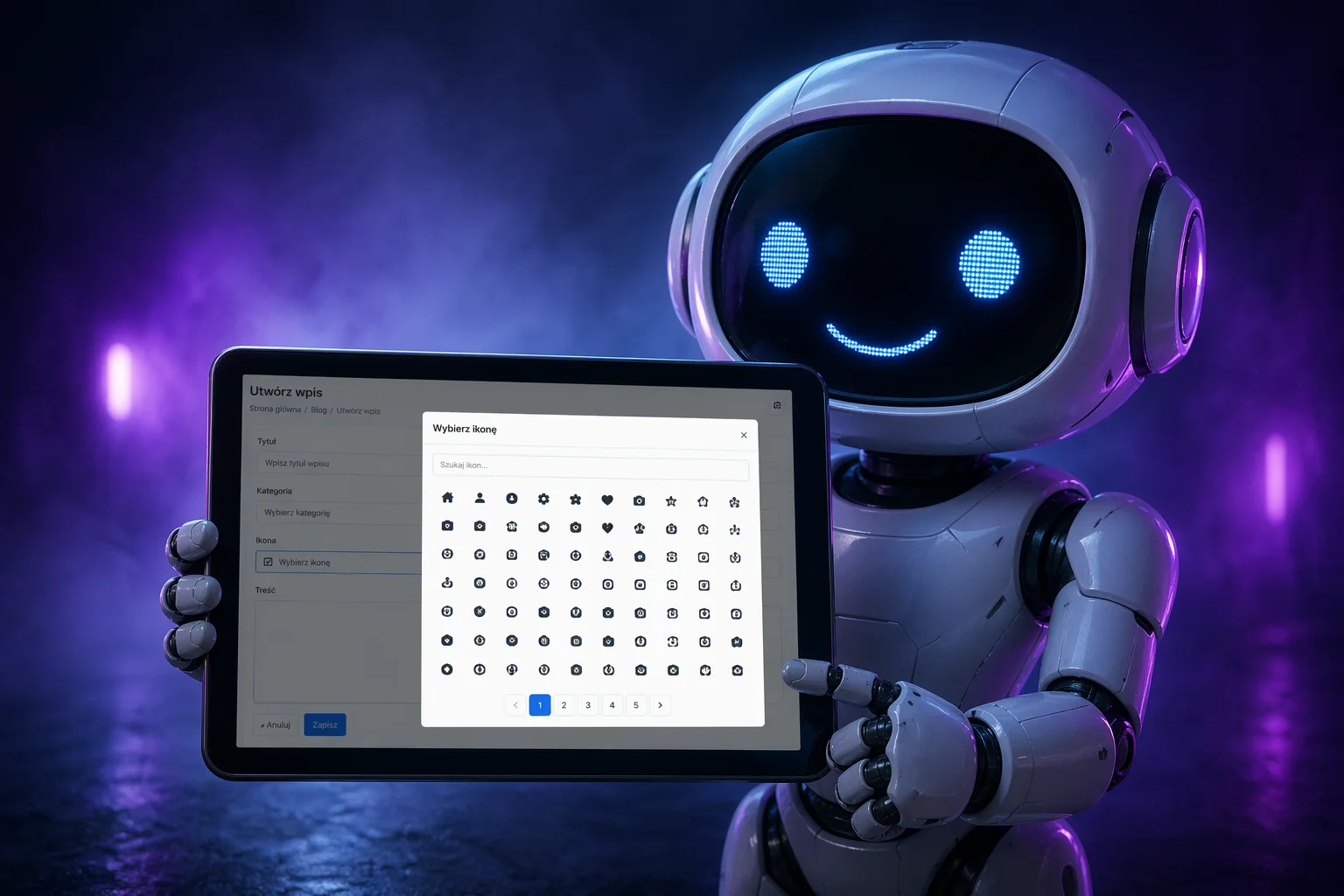
That is exactly where icon_picker_bs_3 is useful: it gives Bootstrap 3 projects a modern, scalable icon selection workflow without forcing expensive rewrites, while still keeping a clean path toward Bootstrap 5 and future icon packs.
Why This Plugin Exists
In real projects, icon selection often starts as a tiny requirement: “let editors choose an icon.” Then reality arrives. Suddenly you need:
- consistent form behavior across many admin screens,
- a picker that works with legacy Bootstrap 3 layout constraints,
- support for large icon libraries (not just 30 handpicked symbols),
- search and discoverability for non-technical users,
- localization for multilingual teams,
- clear upgrade strategy to newer UI stacks.
icon_picker_bs_3 was designed specifically for this scenario. It is not a toy widget. It is a practical UI component architecture that solves production-level concerns: data separation, language separation, API stability, and user-friendly browsing at scale.
Can You Offer It From Your Website and GitHub?
Yes. Absolutely. In fact, you should do both:
- Your website gives clients and non-technical users a direct download point and demo context.
- GitHub gives developers version history, issue tracking, transparency, and integration-friendly distribution.
A strong publishing strategy is:
- Website: release notes, usage docs, screenshot/video, “download latest” package.
- GitHub: tagged releases, changelog, source code, issue templates, and roadmap.
Since the project already uses an MIT license, this dual distribution model is straightforward and developer-friendly.
What Makes This Plugin Technically Solid
1) Legacy-Compatible UI, Future-Oriented Design
The plugin is intentionally built for Bootstrap 3, including modal behavior and input-group compatibility. At the same time, the code is structured around adapters and configurable providers. That means migration effort shifts from “rewrite everything” to “swap integration layer.”
2) Real Icon Scale, Not Demo Scale
The current dataset supports full categorized Line Awesome content with over a thousand unique icons. This matters because discovery is the core UX problem once icon count grows. Without structure, users waste time and make inconsistent choices.
3) Category-Based Discovery with Accordion UX
Inspired by proven catalog interfaces, the modal groups icons by topic and supports accordion navigation. Search remains available for direct access, but categories provide context and faster visual scanning.
4) Language as Configuration, Not Hardcoded Strings
UI text and category labels are placed in separate locale files. You initialize with lang: "pl-pl" or lang: "en-us", and the UI adjusts accordingly. This is the right architecture for multi-language products.
5) Multiple Instance Safety
The plugin is designed to run multiple times on one page. This is mandatory for complex CMS/admin panels where users configure many components in one form.
Installation and Project Structure
A clean setup keeps maintenance costs low. Recommended files:
icon_picker_bs_3/
├── icon-picker.js
├── icon-picker.css
├── line-awesome-categories.js
├── line-awesome-categories.json
├── icon-picker.locale.en-us.js
├── icon-picker.locale.pl-pl.js
├── index.html
├── index.php
├── LICENSE
└── README.md
Include Dependencies
<link rel="stylesheet" href="https://cdnjs.cloudflare.com/ajax/libs/twitter-bootstrap/3.4.1/css/bootstrap.min.css">
<link rel="stylesheet" href="https://cdnjs.cloudflare.com/ajax/libs/line-awesome/1.3.0/line-awesome/css/line-awesome.min.css">
<link rel="stylesheet" href="/./icon-picker.css">

<script src="https://code.jquery.com/jquery-1.12.4.min.js"></script>
<script src="https://cdnjs.cloudflare.com/ajax/libs/twitter-bootstrap/3.4.1/js/bootstrap.min.js"></script>
<script src="/./line-awesome-categories.js"></script>
<script src="/./icon-picker.locale.en-us.js"></script>
<script src="/./icon-picker.locale.pl-pl.js"></script>
<script src="/./icon-picker.js"></script>
Core Usage Example
Input + Button Variant
<div id="service-icon-picker" data-value="la la-home"></div>

<script>
$("#service-icon-picker").icon_picker_bs_3({
  bootstrapVersion: 3,
  lang: "pl-pl",
  iconProvider: IconPickerBs3Providers.lineAwesome,
  categories: window.ICON_PICKER_LINE_AWESOME.categories,
  inputName: "service_icon",
  showInput: true,
  selectedIcon: "home"
});
</script>
Button-Only Variant
<div id="compact-picker"></div>

<script>
$("#compact-picker").icon_picker_bs_3({
  bootstrapVersion: 3,
  lang: "en-us",
  iconProvider: IconPickerBs3Providers.lineAwesome,
  categories: window.ICON_PICKER_LINE_AWESOME.categories,
  inputName: "compact_icon",
  showInput: false,
  buttonOnly: true,
  selectedIcon: "search"
});
</script>
Behavior Model and UX Details
The current accordion behavior is tuned for clarity:
- all categories start collapsed,
- clicking a category header expands it with smooth animation,
- opening another category closes the previous one,
- icon click updates preview and input value immediately.
This interaction pattern is highly efficient for large icon datasets because users stay oriented in one active context at a time.
Localization Architecture (E-E-A-T in Practice)
Serious plugins avoid hardcoded text because language debt becomes maintenance debt. Here, localization follows a disciplined model:
icon-picker.locale.en-us.jsdefines the default English UI set,icon-picker.locale.pl-pl.jsdefines Polish equivalents,langin initialization selects locale at runtime.
This architecture demonstrates operational maturity. It reduces regressions, avoids duplicated custom forks, and makes QA predictable across language variants.
Minimal Locale Example
window.IconPickerLocales = window.IconPickerLocales || {};
window.IconPickerLocales["en-us"] = {
  modalTitle: "Select icon",
  searchPlaceholder: "Search icon...",
  closeButton: "Close",
  noResults: "No results.",
  categoryLabels: {
    "business": "Business",
    "social": "Social"
  }
};
Working with Data Sources
The plugin supports a key best practice: data outside logic. Icon content and category structures are loaded from dedicated files, so you can:
- update icon datasets without touching plugin internals,
- replace the icon library while preserving UI workflow,
- version icon packs independently from widget behavior.
This is exactly how long-lived front-end components remain maintainable in enterprise or agency environments.
Production Use Cases
1) CMS Menu Builder
Editors choose icons for navigation items. Using categorized icon browsing reduces random icon decisions and improves visual consistency site-wide.
2) Landing Page Section Configurator
Non-technical users assign icons to benefit blocks, feature cards, and trust badges. Search + category combination speeds up content creation significantly.
3) B2B Admin Panel Forms
Back-office users maintain statuses, markers, and action definitions. The plugin’s hidden input format integrates directly with existing PHP/legacy form workflows.
4) White-Label Platforms
Brand teams can switch language packs and icon sets per customer profile without rewriting the picker interface.
Performance and Stability Considerations
Large icon catalogs can degrade UI responsiveness if implemented carelessly. Practical guidance:
- load datasets once and reuse in multiple instances,
- keep rendering scoped to active modal context,
- prefer category segmentation over one gigantic flat grid,
- avoid unnecessary DOM rebuilds outside state changes.
These are not theoretical recommendations; they come from observed behavior in real admin panels where forms can contain multiple heavy controls.
Security and Compliance Mindset
Even UI plugins should follow disciplined engineering standards:
- keep third-party dependencies explicit and documented,
- license your code clearly (MIT in this project),
- track third-party licenses for bundled data/icon assets,
- avoid inline unsafe patterns in production templates.
This protects both developers and business owners when shipping to client systems.
Migration Path to Bootstrap 5
The plugin was developed with migration pressure in mind. A practical transition plan:
- Keep data and locales unchanged.
- Switch modal adapter behavior and class naming where needed.
- Adjust CSS layer for Bootstrap 5 utility conventions.
- Retest initialization API and event wiring.
Because logic is already separated from data and language, the move focuses on integration details rather than full component replacement.
Advanced API Patterns
Beyond basic initialization, there are common patterns worth using:
Read Selected Value
var value = $("#service-icon-picker").icon_picker_bs_3("getValue");
var icon = $("#service-icon-picker").icon_picker_bs_3("getIcon");
Listen for Changes
$("#service-icon-picker").on("iconpicker:change", function (event, payload) {
  console.log("Selected icon:", payload.icon);
  console.log("Stored value:", payload.value);
});
Update Categories Dynamically
$("#service-icon-picker").icon_picker_bs_3("setCategories", newCategories);Publishing Best Practices (Website + GitHub)
To maximize trust and adoption, publish like a professional maintainer:
- Tag semantic releases on GitHub (for example
v1.0.0,v1.1.0). - Keep a short changelog of user-facing changes.
- Host a stable downloadable bundle on your website.
- Provide one canonical documentation page with copy-paste snippets.
- Include screenshot and short GIF showing accordion and search behavior.
This combination communicates reliability, which is a core E-E-A-T signal for technical products.
FAQ
Does this plugin require jQuery?
Yes. In Bootstrap 3 environments this is expected and aligns with legacy stack constraints.
Can I use only button mode?
Yes. Set showInput: false and buttonOnly: true.
Can I switch to a different icon pack?
Yes. Replace the provider and category dataset; keep the picker core.
Can this work in multilingual admin panels?
Yes. Locale files are external, and language is selected via the lang option.
Final Takeaway
icon_picker_bs_3 is more than a modal with icons. It is a practical engineering response to a common product challenge: modern UX requirements inside legacy front-end ecosystems.
It gives teams immediate usability gains (search, categories, clear selection flow), while preserving maintainability through separations of concern: logic, data, and language are independent.
If you are operating Bootstrap 3 systems today but planning incremental modernization, this is exactly the kind of component that lets you improve user experience now, without creating migration dead-ends later.