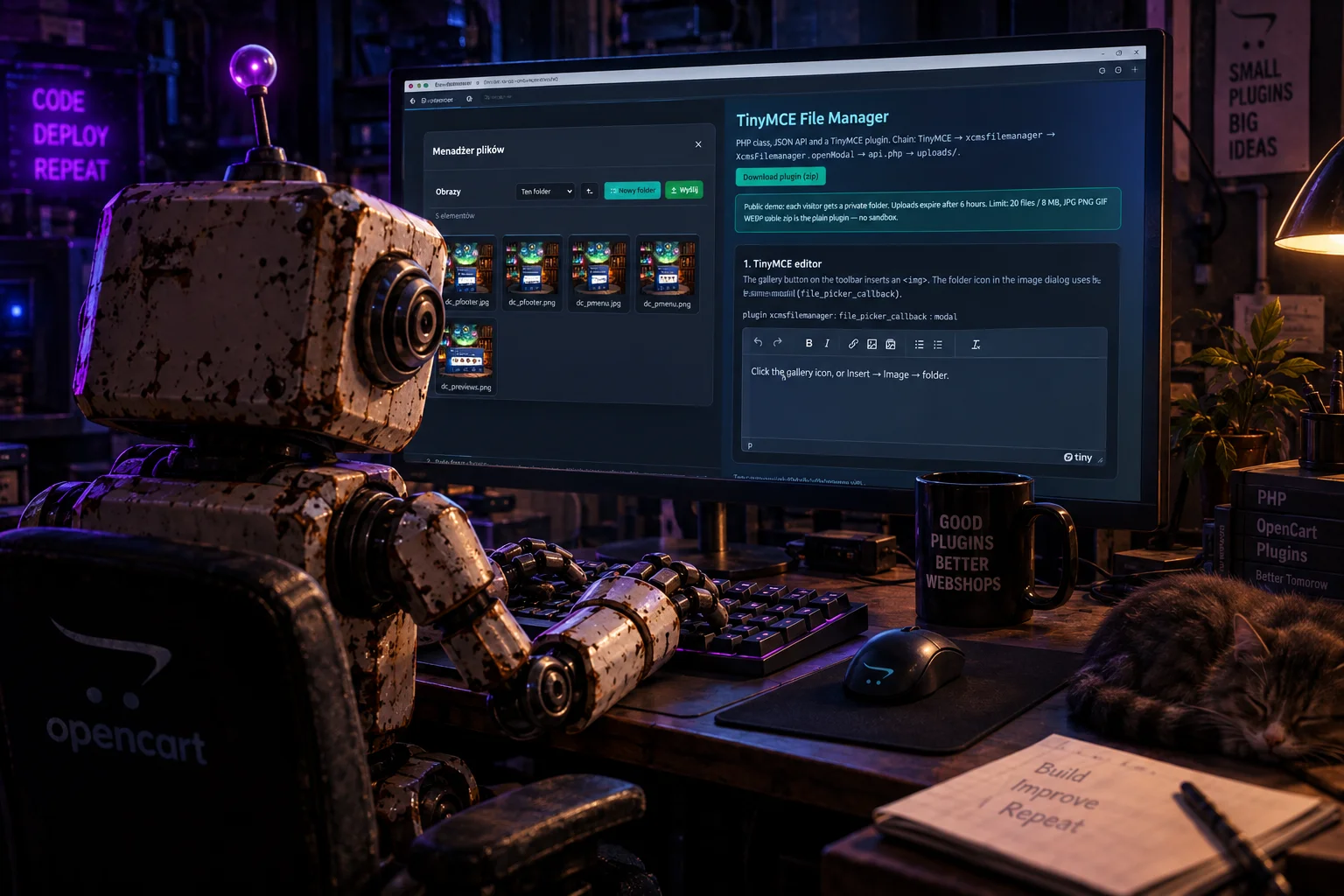
The contract is simple. The backend jails everything to one directory on disk (in xCMS that is images/ from config; in the package it is uploads/). The frontend calls four actions: list, mkdir, upload, delete. After a click the modal returns { url, name, path }.
The package does not pull in jQuery, Bootstrap, or Font Awesome. TinyMCE stays where it already lives — local files or a CDN. The plugin attaches through external_plugins.
2. How the idea started (xCMS 4)
This did not start as a standalone product. It appeared while writing a new CMS version — xCMS 4, when the admin panel got a new theme, a new form engine, and TinyMCE in dark mode. The tree still held the old manager: Responsive Filemanager (trippo), around version 9.14.
RFM lived its own life. It had its own directory, its own config.php, its own upload scripts, and a dialog opened in an iframe. TinyMCE loaded the old responsivefilemanager plugin, and the handshake went over postMessage. In xCMS 4 that stack started to get in the way:
- the iframe did not match the dark panel and Bootstrap 5,
- session, CSRF token and CMS login were duplicated in RFM’s config,
- the file root was already
images/from theconfigclass — why a second path guard, - the same image pick was needed outside the editor: cover field, galleries, the “File manager” page.
In xCMS 4 the manager grew into the CMS. The endpoint became admin/media.php (JSON, login and token required). Logic moved to admin/libraries/class_media.php, rooted in images/. The UI is xcms-filemanager.js and a modal on window.XcmsFilemanager. TinyMCE loads the xcmsfilemanager plugin from init_tinymc.html, and init_media.html injects the API URL plus token as window.xcmsMedia.
Old RFM stayed in the tree, but current tinymce.init does not load it. We replaced iframe and postMessage with our own modal and JSON API. When the same set proved useful outside xCMS — as a drop-in for someone else’s TinyMCE form — the class and plugin left the CMS as a package. Someone downloads a zip and has it.
In xCMS 4 the code lives here:
| Layer | Path in xCMS 4 |
|---|---|
| JSON endpoint | admin/media.php |
| Class | admin/libraries/class_media.php |
| UI JS / CSS | admin/theme/assets/js/xcms-filemanager.js, …/css/xcms-filemanager.css |
| Gallery page | admin/components/galleries/ (task=filemanager) |
| TinyMCE plugin | admin/theme/plugins/tinymce/plugins/xcmsfilemanager/plugin.min.js |
| Editor init | admin/theme/interface/init_tinymc.html + init_media.html |
| Script loading | admin/interfaces/includes_form.php, template {{ init_tinymc }} from start.php |
Old, unhooked RFM: admin/interfaces/filemanager/ and a copy of the responsivefilemanager plugin.
3. Advantages over the old stack
- One UI, three places. The TinyMCE toolbar, the image dialog (folder icon) and a form field all call the same
openModal(). In RFM the editor lived in an iframe, and a cover field needed a separate path. - JSON instead of an iframe. No
postMessage, no foreign window, no z-index fight with TinyMCE dialogs. The modal sits in the page document, with its own high z-index. - The CMS root, not a second config. The class gets a directory and a public URL. In xCMS that is
config->dir_image. In the package it isuploads/. Jail viarealpath. - Images only, checked twice. Extension allowlist plus
getimagesize()for MIME. PHP is disabled in the upload folder. - No jQuery or Bootstrap in the package. The xCMS 4 original sat on jQuery and a BS5 modal. The package has its own overlay and SVG icons, so it drops into any admin panel.
- Session token. Every POST carries a session token. That is CSRF, not “security by hiding the URL”. You wire login with an
authcallback. - The same contract outside TinyMCE.
data-filemanager-fieldwrites a path into an input.data-xcms-filemanagermounts the grid on a gallery page.
This is not Dropbox and not a CDN. It does not resize images, it does not cut server-side thumbnails, it does not handle PDFs or video. On purpose: a CMS panel needs an image pick for an article, not a DAM.
4. The chain: from TinyMCE to disk
TinyMCE
  → plugin xcmsfilemanager  (button or file_picker_callback)
    → XcmsFilemanager.openModal({ onSelect })
      → POST api.php  (action=list|mkdir|upload|delete + token + path)
        → XcmsFileManager::handle()
          → uploads/  (in xCMS: images/)
            → onSelect({ url, name, path })
              → insertContent(<img>)  or TinyMCE callback  or input.value
In xCMS 4 the same chain ends at media.php and images/. The package only changes file names, not the idea.
5. File layout
In the drop-in zip (no demo sandbox):
| File | Role |
|---|---|
src/FileManager.php |
Engine: list / mkdir / upload / delete, jail, MIME |
api.php |
Thin JSON endpoint |
config.php |
Root, URL, allowlist, max size |
assets/js/filemanager.js |
Grid, modal, window.XcmsFilemanager |
assets/css/filemanager.css |
Standalone tile and dialog look |
tinymce/plugins/xcmsfilemanager/plugin.min.js |
Toolbar button + picker hook |
example.php |
Editor + field + grid on one page |
JS config must exist before the grid hits the API:
<script>
window.xcmsMedia = {
  url: 'api.php',
  token: '…',
  i18n: { title: 'File manager', upload: 'Upload' /* … */ }
};
</script>
The class can emit that itself: XcmsFileManager::configScript($apiUrl, $token).
6. JSON endpoint — actions
Everything is POST (FormData), with token, action, and optionally path, name, files[].
Success:
{ "ok": true, "data": { … } }Error (HTTP 400 or 403):
{ "ok": false, "error": "Access denied" }6.1. list
Returns folder contents. path is relative to root (empty string = the root). Folders first, then files, alphabetically. Hidden names (leading .) and protected directories are skipped.
{
  "ok": true,
  "data": {
    "path": "news",
    "parent": "",
    "crumbs": [
      { "name": "Images", "path": "" },
      { "name": "news", "path": "news" }
    ],
    "folders": [{ "name": "2026", "path": "news/2026" }],
    "items": [
      { "type": "dir",  "name": "2026", "path": "news/2026" },
      { "type": "file", "name": "cover.jpg", "path": "news/cover.jpg",
        "url": "/uploads/news/cover.jpg", "size": 48211 }
    ],
    "can_create": true
  }
}
6.2. mkdir
POST: path (parent) + name. The name goes through a slug (Polish characters → ASCII, the rest to [a-z0-9_-]). Returns the parent listing.
6.3. upload
POST: path + one or more files[]. Checks: is_uploaded_file, size, extension, MIME from getimagesize. Name clash → foto-1.jpg. The response is the listing plus an uploaded array.
6.4. delete
POST: path. A file — only if it is an allowed image. A folder — only if empty. Root and protected paths are left alone. Returns the parent listing.
Thin endpoint in the zip:
<?php
require_once __DIR__ . '/src/FileManager.php';
$config = require __DIR__ . '/config.php';
session_start();

$fm = new XcmsFileManager([
    'root'  => $config['root'],
    'url'   => $config['url'] ?? (XcmsFileManager::publicUrl('uploads') . '/'),
    'token' => XcmsFileManager::token(),
]);
$fm->handle();
7. PHP class XcmsFileManager
One class, no namespace, PHP 7.4+. The constructor takes an options array. The public API is handle() plus a few static helpers. Everything else is private — that is the disk engine.
7.1. Constructor options
| Key | Meaning |
|---|---|
root |
Directory on disk (required) |
url |
Public URL prefix returned with files |
protected |
Reserved first path segments, e.g. ['galleries'] |
allowed |
Extensions: jpg, jpeg, png, gif, webp |
mimes |
Extension → allowed MIME map |
max_size |
Bytes, default 12 MB |
token |
Expected CSRF; empty = do not check the token |
auth |
Callable; false → HTTP 403 |
root_label |
Breadcrumb label (Images) |
writable |
When false, list only |
max_files / max_total |
File count and byte-sum limits (0 = off) |
rate_uploads / rate_window |
Per-IP upload cap; used on the public demo |
7.2. Public methods
handle(): bool
The only HTTP entry point. Sets JSON headers, checks auth and the token, sanitizes action to [a-z_], dispatches the four actions. Exceptions become { ok: false, error }.
Static. Starts a session if needed and returns a 32-character hex. The same token goes into HTML (window.xcmsMedia.token) and comes back on every POST.
public function handle(): bool
{
    header('Content-Type: application/json; charset=utf-8');

    if (!$this->isAuthorized()) {
        return $this->fail($this->messages['forbidden'], 403);
    }

    $action = isset($_REQUEST['action'])
        ? preg_replace('/[^a-z_]/', '', (string) $_REQUEST['action'])
        : 'list';

    if ($action === 'list') {
        return $this->ok($this->listing($this->requestPath()));
    }
    if ($action === 'mkdir') {
        return $this->ok($this->makeDir($this->requestPath(), $_POST['name'] ?? ''));
    }
    if ($action === 'upload') {
        return $this->ok($this->upload($this->requestPath()));
    }
    if ($action === 'delete') {
        return $this->ok($this->deletePath($this->requestPath()));
    }
    return $this->fail($this->messages['unknown_action']);
}
token(?string $sessionKey = 'xcms_fm_token'): string
Builds a public path from dirname($_SERVER['SCRIPT_NAME']). The package then works in a subdirectory without a hardcoded URL.
configScript(string $apiUrl, string $token, array $i18n = []): string
Returns a <script>window.xcmsMedia = …</script> tag. The i18n argument overrides the default UI strings.
defaultI18n(): array
UI dictionary: modal title, “New folder”, “Upload”, empty folder, delete confirm, and so on.
clientIp(): string / ipAllowed(array $allow, ?string $ip = null): bool
Reads REMOTE_ADDR and an optional allowlist. An empty list lets everyone in. It does not trust X-Forwarded-For (easy to spoof).
boot(array $config): array
Helper for the public demo. When sandbox => true, each visitor gets uploads/sandbox/{id}/ and old sandboxes are deleted after a TTL. The drop-in zip api.php does not call this.
sandboxId(): string / gcSandbox(…): void
Session id (16 hex) and cleanup of sandbox directories older than the TTL; if a global cap is exceeded, oldest first.
7.3. Private engine (the part that actually does the work)
listing($path)
scandir, skips dots and protected, builds items / crumbs / folders. Sort: directories, then files, strcasecmp.
makeDir($path, $name) / upload($path) / deletePath($path)
Create, upload, delete — described with the JSON actions. After a successful upload the listing gets an uploaded array.
normalize($path)
The path-safety key. Backslashes to slashes, collapse //, trim /, reject .. and protected segments. Bad input falls back to root (empty string), not a 500.
private function normalize(string $path): string
{
    $path = str_replace('\\', '/', $path);
    $path = trim((string) preg_replace('#/+#', '/', $path), '/');
    if ($path === '.' || $path === '..' || strpos($path, '..') !== false) {
        return '';
    }
    if ($this->isProtected($path)) {
        return '';
    }
    return $path;
}
absolute($path, $mustExist = false)Builds a candidate, runs realpath, checks that the result still starts with root. That is the jail: a symlink or ../ cannot leave the images directory.
$real = realpath($candidate);
if ($real !== $root && strpos($real, $root . DIRECTORY_SEPARATOR) !== 0) {
    return false;
}
validMime($tmp, $ext)
Does not trust $_FILES['type']. Uses getimagesize() and compares MIME to the map for that extension. A .jpg with PHP insides is rejected.
slug / safeFolder / safeFile / uniqueName
Transliteration of Polish characters, then iconv ASCII, then [a-z0-9_-]. uniqueName appends -1, -2, … instead of overwriting.
ok($data) / fail($message, $code = 400)
The only JSON serialization. Unicode and slashes are unescaped so image URLs stay readable.
Other helpers
requestPath()—pathfrom POST, else GET, thennormalizeuploadedFiles()— flattens$_FILES['files'](one file or an array)crumbs($path)/childFolders($path)/parentPath($path)— navigation for the UIisProtected/isAllowedFile/isAllowedExt/extensionassertQuota/usage— demo limitsassertIpRate— JSON file of timestamps per IP hashdirSize/rrmdir— sandbox cleanup (does not follow symlinks)
8. JavaScript layer — window.XcmsFilemanager
assets/js/filemanager.js is an IIFE. It reads window.xcmsMedia at request time (script order does not break the call). Public API:
| Method | What it does |
|---|---|
mount(el, options) |
Puts the grid in an element. onSelect, onUpload, path |
openModal(options) |
Overlay, host; onSelect closes the modal |
request(action, data, files) |
Raw POST; throws Error with the error text |
Opening from TinyMCE
window.XcmsFilemanager.openModal({
  onSelect: function (item) {
    callback(item.url, { alt: item.name || '' });
  }
});
On DOM ready the script:
- mounts every
[data-xcms-filemanager](skipsdata-gallery-fm, left for xCMS), - on click of
[data-filemanager-field="cover"]opens the modal, writesitem.pathto#coverand setssrcon[data-filemanager-preview="cover"].
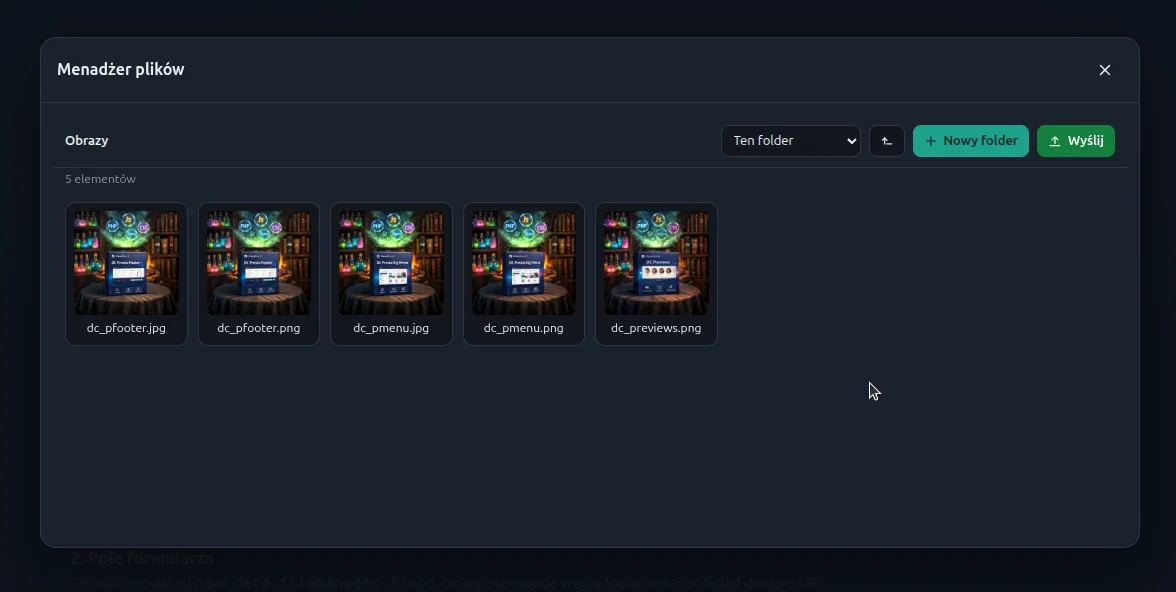
The grid: breadcrumbs, a jump-to-subdir select, up, new folder (an inline field in the toolbar, not window.prompt — that died under the TinyMCE modal), upload, drag-and-drop, double-click a folder, click a file = pick, the × is an in-bar confirm, not native confirm.
Request
function request(action, data, files) {
  var cfg = mediaConfig();
  var fd = new FormData();
  fd.append('token', cfg.token || '');
  fd.append('action', action);
  // … data fields, files[] …
  return fetch(cfg.url || 'api.php', {
    method: 'POST',
    body: fd,
    credentials: 'same-origin'
  }).then(function (res) {
    return res.text().then(function (text) {
      var json = JSON.parse(text);
      if (!json || !json.ok) {
        throw new Error((json && json.error) || 'Error');
      }
      return json.data;
    });
  });
}
DOM events: xcms-filemanager:select and xcms-filemanager:upload (bubbling, detail = item or array of uploaded files).
9. TinyMCE plugin xcmsfilemanager
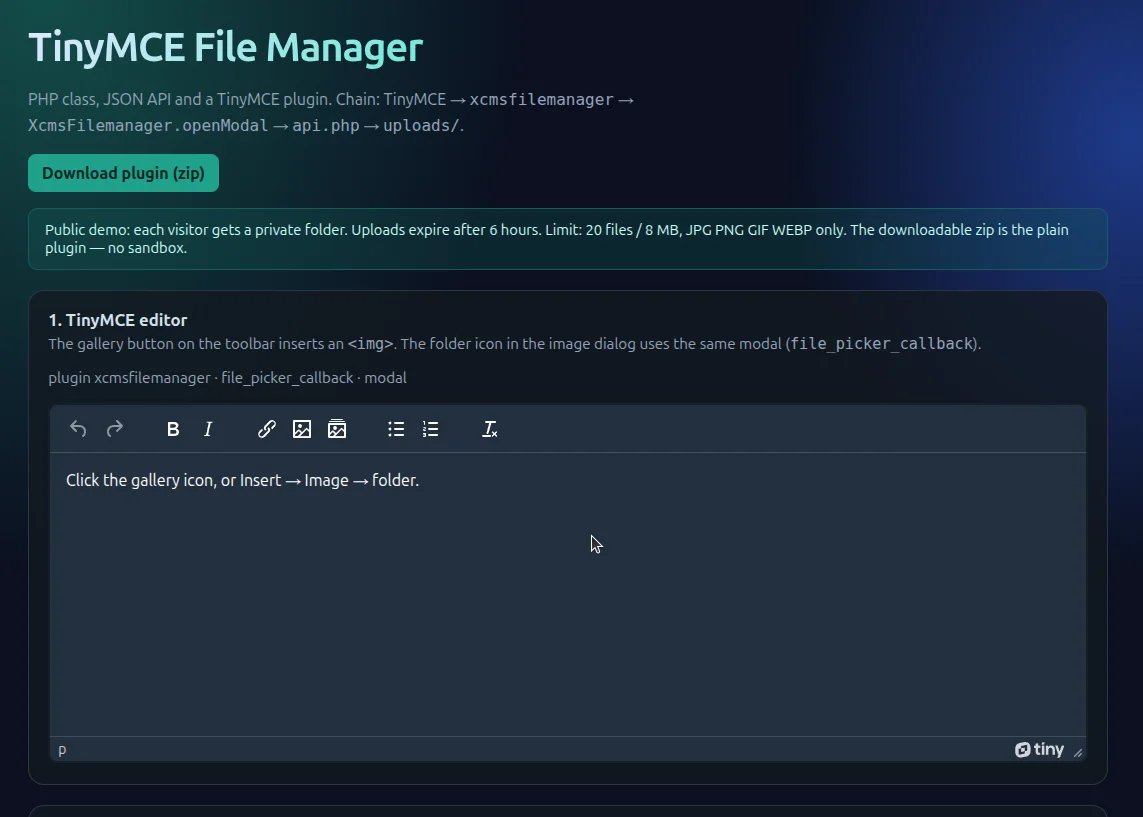
One file, works with TinyMCE 5/6/7 (the PluginManager build, not ESM). It registers a gallery-icon button and — when it can — sets file_picker_callback. Init should still pass the picker in options, because TinyMCE 6 registers that option in tinymce.init
tinymce.PluginManager.add('xcmsfilemanager', function (editor) {
  function pick(done) {
    if (!window.XcmsFilemanager) {
      return;
    }
    window.XcmsFilemanager.openModal({
      onSelect: function (item) {
        done(item.url, { alt: item.name || '', title: item.name || '' });
      }
    });
  }

  editor.ui.registry.addButton('xcmsfilemanager', {
    icon: 'gallery',
    tooltip: 'File manager',
    onAction: function () {
      pick(function (url, meta) {
        editor.insertContent(
          '<img src="' + editor.dom.encode(url) +
          '" alt="' + editor.dom.encode(meta.alt || '') + '" />'
        );
      });
    }
  });
});
Two entries in the editor:
- toolbar button — inserts
<img>immediately, - folder icon in the “Insert image” dialog — returns a URL to TinyMCE’s callback (alt / text).
Init in xCMS 4 (short) and in the package is the same idea
tinymce.init({
  selector: '.editor',
  plugins: 'image link lists',
  external_plugins: {
    xcmsfilemanager: '/path/tinymce/plugins/xcmsfilemanager/plugin.min.js'
  },
  toolbar: 'undo redo | link image xcmsfilemanager | bullist numlist',
  file_picker_types: 'image',
  automatic_uploads: false,
  file_picker_callback: function (callback) {
    window.XcmsFilemanager.openModal({
      onSelect: function (item) {
        callback(item.url, { alt: item.name || '' });
      }
    });
  }
});
automatic_uploads: false is intentional: we do not push binaries through TinyMCE, only a URL already on disk.
10. Three entries into the same UI
10.1. TinyMCE
Described above. In xCMS 4 includes_form.php loads the scripts on add/edit, and start.php injects {{ init_tinymc }}.
10.2. Form field
<input type="text" id="cover" name="cover">
<button type="button" data-filemanager-field="cover">Choose</button>
<img data-filemanager-preview="cover" hidden>
The database gets a relative path (news/cover.jpg); the preview gets the full URL. Same split as in xCMS: public URL in HTML content, path relative to images/ in the record field.
10.3. Standalone grid
<div data-xcms-filemanager></div>In xCMS 4 the Galleries → File manager page is exactly that: view filemanager.html with data-xcms-filemanager. Clicking a file does not insert into the editor — it is a disk browser.
11. Security
A file manager in an admin panel is always an attack surface. The rules here are narrow and strict:
- Jail.
normalize+realpath.../and a symlink outside root = root or an error. - Images only. Allowlisted extension and MIME from
getimagesize, not from the browser header. - Slugged names. No spaces, no raw UTF-8 in the on-disk filename, no overwrites.
- Session token. CSRF. That is not login — login is
author the CMS session. - No PHP in uploads.
uploads/.htaccessturns the engine off and blocks*.php. - Careful deletes. A non-empty folder stays. The root cannot be deleted.
In xCMS 4 $sessions->ifLogin() and hasValidToken() still sit in front of the class. In the zip you hook that yourself
$fm = new XcmsFileManager([
    'root'  => '/var/www/html/images',
    'url'   => 'https://example.com/images/',
    'token' => XcmsFileManager::token(),
    'auth'  => static function () {
        return !empty($_SESSION['user_id']);
    },
]);
Without auth on a public URL, anyone who hits api.php can upload images. The zip is a drop-in for an admin panel, not a public file host.
12. Drop-in install
- Upload the zip contents to PHP 7.4+.
- Make
uploads/writable (or changeroot/urlinconfig.php). - Include the CSS,
configScript, TinyMCE,filemanager.js, and the plugin. - Add
xcmsfilemanagerto the toolbar and setfile_picker_callback. - Wire
authto your existing login.
Drop-in config.php:
return [
    'root'       => __DIR__ . '/uploads',
    'url'        => null,          // null = auto from the script directory
    'protected'  => [],            // e.g. ['galleries']
    'allowed'    => ['jpg', 'jpeg', 'png', 'gif', 'webp'],
    'max_size'   => 12 * 1024 * 1024,
    'root_label' => 'Images',
];
Requirements: PHP with sessions and getimagesize, a browser with fetch and FormData, TinyMCE 5/6/7 in the classic build.
13. Public demo vs the zip
The live demo page is in English and is deliberately not an open dump. Each tester gets a private session folder (sandbox), files expire after a few hours, and there are caps on file count, total megabytes, and uploads per IP. That is only a shield for the public sample.
The downloadable zip does not turn those shields on: root is plain uploads/, api.php does not call boot(), there is no TTL and no per-IP cap. There you attach your own login — the same way xCMS 4 puts the admin session in front of the class.
14. Summary
The manager exists because xCMS 4 did not need another trippo iframe. It needed an image pick that matched the rest of the panel: the same token, the same images/ directory, the same UI in the editor and outside it. Responsive Filemanager stayed in the tree as a fossil. The production path is a modal, JSON, and the xcmsfilemanager plugin.
The package is that core lifted out of the CMS. The class guards the disk, JS guards the grid, TinyMCE only calls openModal and inserts <img>. Someone downloads the zip, hooks login, and gets the same chain that media.php runs in xCMS 4.

Paweł Nosko
Paweł Nosko — a developer and founder of Design Cart, active in the IT industry since 2009 and focused on e-commerce since 2011. He specializes in building online stores and advanced product configurators. He has delivered over 100 projects, working with platforms such as OpenCart, PrestaShop, Magento, and WooCommerce. He combines technical expertise with a business mindset — his solutions don’t just work, they sell. On his blog, he shares practical insights, tests, and analysis of e-commerce tools — no theory, just real experience.