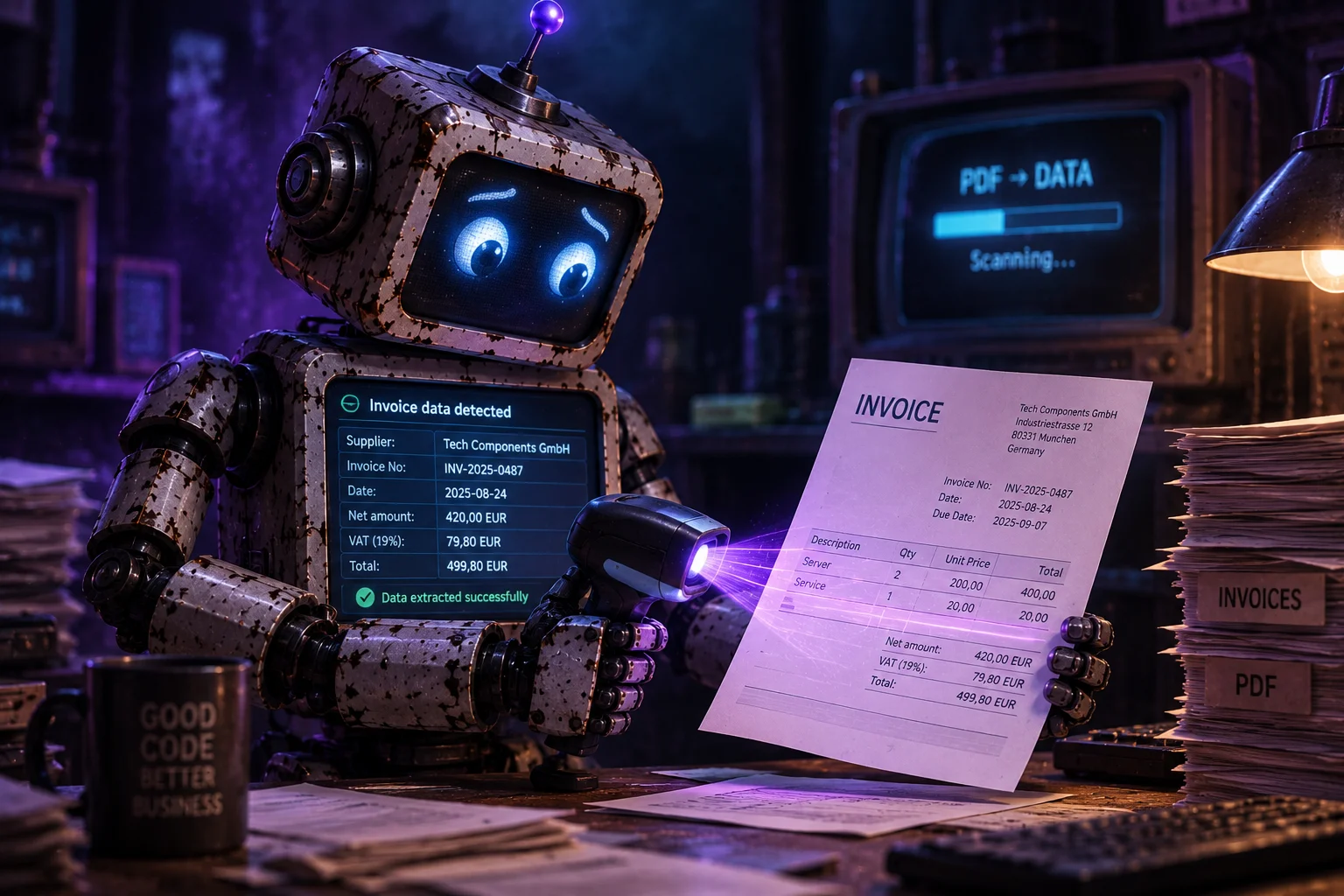
Handwriting recognition, reading a photo of an invoice, pulling fields out of a PDF that is sometimes text and sometimes a scan — all of that used to mean separate OCR engines, templates, rules and weeks of tuning. Today a key to a vision model and a simple request often suffice: “here is the document, here are the fields, return JSON”.
AI gives us remarkable possibilities in places where the only option used to be typing things in by hand. Someone opens a file, looks for the invoice number, tax ID, date and gross amount, then types it into a form. They do it correctly, but slowly. After a few dozen documents a month it becomes ordinary, tiring work. Models that accept an image and text can pull the same fields from that invoice. They do not always get it right. Often, though, they save the typing, and the person is left with checking.
This does not replace a person in bookkeeping or at goods intake. What remains is the decision: does the number match, is the contractor the same, does the document have all the data the law requires. Typing “FV 12/08/2026” from a PDF into an input used to have to be done by hand anyway. Now at least it can be faster.
This article is about a specific PHP class. It is called AI PDF Reader. The code was written while building the WordPress plugin DC Accountant. The user drops a file, the script sends it to an OpenAI Vision-compatible API, and then it tries to fill the HTML fields with what the model recognised. By default that means a cost invoice. You can swap the field schema and read another kind of document if you need to.
Below I describe what this class is, where it came from, how it works from the drop area to the API response, how to configure it, which bits of code matter, and where else you can use it. If you run a small company, write WordPress plugins or put together panels for clients, it may save you some time assembling from scratch the connection between a file drop and a model.
What is AI PDF Reader?
AI PDF Reader is a light PHP library that reads PDF documents and JPG, JPEG, PNG and WEBP images through an OpenAI Chat Completions-compatible API in vision mode. You get a structured JSON result. From that JSON the mechanism builds a map of values for the form fields and a short report: what was found, what is missing, and whether the analysis is certain enough to count as a success.
The library lives in the AiPdfReader namespace and is made of a few classes. DocumentReader takes an upload or a file path, prepares the payload for the model, calls the API, parses the response and adds a little data of its own. ApiClient sends the request — cURL, or a plain PHP stream if cURL is missing. Config loads the array from config.php and the field schema. Result is a simple success or error object, similar to WP_Error, so it is easy to plug into a WordPress plugin and into a plain script.
On the browser side there is a small script, ai-document-reader.js. It looks for the data-ai-reader, data-ai-drop, data-ai-analyze and data-ai-form attributes. That way the drop area is not welded to one template. Put those attributes in your HTML, point to the endpoint, and you have the same flow: file, analysis, filled inputs, report underneath.
The default schema is a cost invoice. The fields are the same ones the DC Accountant plugin uses: document number, issue, sale and payment dates, net, VAT, gross, currency, tax rate, description, seller name, Polish NIP tax ID, REGON, address. The model is told to take the issuer’s data, not the buyer’s, and not to guess when it is unsure. An invoice usually has two sides of the transaction. Without that note the model sometimes puts your own company in as the contractor, because your details are on the document too and are often even clearer.
The fields we ask the model for come from the schema, not from hard-coded class logic. The schema is a PHP array: the model’s role, a prompt footer, the list of fields, types, hints, mapping onto an input name, flags for key fields. In config.php you point to a schema file name, a path, or you paste the array in place. If you want to read a delivery protocol instead of an invoice, you change the schema. Same thing for another document. You usually do not need to touch the classes.
This is not a full OCR engine. The class does not stitch multi-page PDFs into one image, does not learn a particular issuer’s layout and does not remember what the user corrected last time. It takes one document, makes one request, gets JSON and fills the form. If the first path fails, there are fallbacks. A PDF can go to the API as a file. If the model provider will not accept files, the first page goes as an image from ImageMagick. If that fails too, and text can be pulled from the PDF, the model gets the text alone. An image goes straight as image_url in base64.
It needs PHP 8.1, the JSON extension and an API key. cURL is recommended. ImageMagick and pdftotext are optional, but on a Linux server they are worth having, because invoice PDFs vary. There are almost no Composer dependencies. PSR-4 autoload sits in bootstrap.php. Optionally you can add smalot/pdfparser as another way to get text out of a PDF.
In short: the class takes a file someone sent you and tries to fill the form you have to have anyway. You can move it from the demo into your own project without rewriting everything from scratch.
How the class came about
The class was born while I was writing a WordPress plugin for company bookkeeping. I was building a way to add costs so the data could be used further — shown on charts, searched, compared. Since I was writing the plugin for my own needs as well, I wanted to try to solve a problem that had always irritated me, namely typing in data from cost invoices by hand. Some PDFs let you select the text, some do not, and sometimes I got the invoice as a JPG. A few dozen invoices a month and you have an hour or two of pointless typing. You feel time from your life slipping away, wasted on complete nonsense.
That plugin is DC Accountant — invoices in WordPress and WooCommerce. The AI PDF Reader code came out of writing it, specifically while adding costs.
Imagine a life where you drag into a drop area a photo of an invoice that an employee or a client sent you, and the application pulls the data out and fills an HTML form. A fairy tale, right?
That was exactly my goal. This kind of document analysis used to be out of reach for mortals like me. Today a ChatGPT API is enough and we get new powers.
In my class I used GPT because, when it comes to reading documents and images, it is more accurate than e.g. DeepSeek, which I use instead for scripts that work with text (it is twice as cheap).
The result?
Adding costs to the system became trivial and incredibly fast. You can hardly shorten the process any further, unless you add bulk document upload. I think it is still too early for that kind of automation, though. AI has a habit of being wrong sometimes. And every document has to be checked to see whether AI read the data correctly. Sometimes the document itself does not have the complete data required by Polish law. We have to keep a hand on the pulse.
How it works
The flow is simple. The user sees a file drop zone. They can click and pick a document from disk, or drag a PDF or a photo from the desktop. The JavaScript stores that file in memory, shows the name and unlocks the “Analyse document” button. Dropping the file does not send anything yet. First you see what was chosen, then the analysis starts. That way a request is less likely to go out on the wrong file.
After the click the script builds FormData. It adds the parse action and the document file field. It POSTs that to the endpoint, api.php by default. While waiting, the button is disabled and a message appears in the zone that AI is analysing the document. The request to the model takes seconds, sometimes a dozen, and with a larger PDF and a slower connection even longer. The message is there so you can see that something is happening.
On the server, api.php accepts POST only. It loads the configuration, creates a DocumentReader and hands the file to parseUpload(). That method checks that it is a real PHP upload, then goes down to parseFile(). That is where the real work starts.
First come the boring checks, without which there is no point calling the model. Is there an API key? Can the file be read? Is it under the limit, twenty megabytes by default? What is the real type? The class does not trust the browser’s declaration alone. It asks mime_content_type, looks at the first bytes — a PDF starts with %PDF — and if needed it infers the type from the extension. PDFs and images are supported. Any other format ends in an error before you spend money on tokens.
Then the API payload is built. Here the paths split. An image is simple: the file goes into base64 and is sent as image_url together with the prompt. The prompt is not hard-coded in the class. It is built from the schema: the model’s role, the list of fields with hints, and a footer. In the cost schema the role reads like instructions for a bookkeeping assistant. The footer says to take the seller, not the buyer, and to leave empty what is not visible.
PDF is harder, because the files vary. Some are ordinary text you can select with the mouse. Some are scans wrapped in a PDF, which is just an image. Some mix both: a logo as graphics, a table as text, a stamp as a blot. That is why the class does not rely on one method.
The first attempt is to send the whole PDF as an attachment in the format newer OpenAI endpoints understand: type file with file_data in base64. If the model and endpoint accept that, you have the best case — the model sees the document as a document, not as one flattened page.
If that attempt comes back with an error, the fallbacks kick in. The first fallback is a raster of the first page. The class looks for the ImageMagick binary, magick or the older convert, renders page zero to a PNG at a set DPI, usually 150, and sends that image the same way as an ordinary invoice photo. For a typical cost invoice the first page is almost always the whole story: header, parties, amounts, dates. The second page is often terms and conditions or a bank account in the footer. The cost schema does not need it.
The second fallback is text alone. The class calls pdftotext with the layout flag. If there is enough text, at least forty characters by default, it appends it to the prompt as “document contents”. When the system tool is missing and the project has smalot/pdfparser, it uses the PHP parser. This path does not see stamps or invoice-as-image files, but it saves ordinary PDFs from accounting generators when the endpoint will not take a file and ImageMagick is not installed.
The API call goes through ApiClient::chat(). It is a plain JSON POST with a Bearer header. The body has the model, temperature, token limit, messages and — if you turn it on — response_format of type json_object. Temperature is low, 0.1 by default, so the model invents less around numbers and dates. The timeout is long, because an image and a PDF come back slower than plain text.
When the response comes back with a status other than 2xx, the client pulls the error message from the provider’s JSON and returns it in a Result. An empty body is an error too. When there is content, DocumentReader extracts the first JSON object from it, even if the model wrapped it in text or markup. Then it does not trust keys the model invented on its own. It walks the schema fields and coerces each value to a type: a number rounded to two decimals, a date in YYYY-MM-DD, a VAT rate as a number or empty, text without HTML tags.
Then come the layers that turn “nice JSON from the model” into data you can put in a real bookkeeping form. Sanitisation watches that a bare tax ID does not land in the document number. That is a common model mistake: they see a string of ten digits and stuff it into the first free number field. If the schema has the reject_if_bare_nip rule, that number goes into the NIP field and the document number stays empty.
Then currency and tax matching. The model usually returns a code or a symbol: PLN, zł, EUR, euro, dollar. The configuration has a currency catalogue with aliases. “ZŁ” and “PLZ” become the zloty and get a currency_id from your list. VAT is calculated from the amounts when net and tax are on the document, or from the model’s hint, and the result is pulled to the nearest rate in the catalogue: 23, 8, 5, 0. That way the select in the form gets an ID from the database, not a loose string like “twenty-three percent”.
The next layer is the contractor. From the seller it builds a label, an address for display and a draft record: name, NIP, REGON, street, city, postcode, country. If there is a foreign tax number instead of a Polish NIP, the draft marks that with a flag and separate fields. By default the class does not touch the database. It only says: here are the details from the document, they can be saved as a new contractor. Looking the NIP up in your table is what you attach with the after_parse hook. That is where the mechanism becomes part of a specific plugin.
At the end a report and a form_values map are built. The report counts schema fields: found with a value, missing, parse mode, a message and a success flag. Success does not mean everything is there. It means enough fields marked as key were found. In the cost schema the keys include the number, issue date, gross amount and contractor. If the model recognised too little, you get an error or a warning and empty spots to fill in by hand. The form map takes only the fields that have form set and are not turned off with the fill flag. It also adds currency_id, tax_id and a customer_id from the hook if there is one.
The JSON response comes back to the browser. The script checks the ok flag, puts values into inputs by name, by id or by data-ai-field, fires input and change events, draws the report and the contractor block. The form is filled if the model found something. A person looks, corrects a grosz or a date, and saves. AI does not save anything on its own.
If something fails along the way — a bad file, a missing key, a timeout, an empty response, JSON that cannot be read, zero recognised fields — the user gets a message in Polish, not a stack trace. The form stays as it was. AI helps, but you still have to check the result.
Download and configuration
You can download it from my site and from GitHub:
Installation is short. You clone or unpack the directory, copy the example configuration and fill in the key. On your own computer the built-in PHP server is enough to see the demo with a drop area and a small cost form.
cp config.example.php config.php
php -S localhost:8080 -t public
The config.php file should not go into the repository. The secret lives there. You can commit the example. After copying you open the array and set the ai block. api_key is the provider key. endpoint points at OpenAI Chat Completions by default, but it can be any address that matches that contract. The same code can go to OpenAI, a proxy or another model host, as long as it can take a message with an image or a file and return content in choices[0].message.content. The example model is gpt-4o-mini: fairly cheap, fairly good on invoices. For hard scans you can bump the model up. Leave timeout high. max_tokens of 1500 comfortably holds the JSON for cost fields. Keep temperature low. Turn json_mode on with OpenAI, off when a given endpoint does not understand that field.
The limits block watches the budget and common sense. max_file_bytes cuts off huge scans that will not fit the context window anyway. pdf_text_min_chars decides from what length PDF text is worth using as a fallback. Too low a threshold lets metadata junk through. Too high skips short but complete invoices. pdf_text_max_chars trims very talkative files so you do not pay for tokens of terms on page three. pdf_render_dpi is a compromise: 150 is usually enough, 72 can be unreadable, 300 bloats and slows down without much gain on an ordinary invoice.
The schema key can be the word cost, in which case schemas/cost.php is loaded, a path to your own file, or an array pasted into the configuration. This is the only place where you describe what you actually expect from the document. You do not edit the class when you want to add an “order number” field or extract a “series and certificate number”.
The defaults block sets the country and currency when the document is silent. In Polish circulation that is usually Poland and PLN. The lookups block feeds your selects. Currencies have an ID, code, name, symbol and aliases. Taxes have an ID, rate and label. In a plugin you put database records here. In the demo three currencies and four VAT rates are enough.
For now there is one hook. hooks.after_parse takes a function with the parsed data and the config object. The array it returns replaces the data before the report and the form map. Here you can look up a contractor by NIP, add a ledger account, set a cost category or log the raw result. The class does not know your database, so the rest you have to write yourself.
On a production server it is worth adding three things besides PHP itself. First, cURL, because PHP streams can be fussy on long requests. Second, ImageMagick if you accept scans in PDF. Third, Poppler with pdftotext if you want a cheap text fallback without an extra library. The public directory is the only one that should face the network. Keep config.php, the schemas and src outside the document root, or block them on the web server.
Integration into an existing project comes down to three lines of PHP and a few HTML attributes. You do not have to use the demo. You can call the reader from your own controller, from cron, from a mail importer. JavaScript is handy with a form, but not required. If the file is already on disk, you call parseFile() and decide yourself what to do with the array.
require 'bootstrap.php';

$reader = new \AiPdfReader\DocumentReader();
$result = $reader->parseUpload($_FILES['document']);

if ($result->isError()) {
    echo $result->message;
} else {
    $values = $result->data['form_values'];
    $report = $result->data['ai_report'];
}
A connection test, without a document, is in the class as well. testConnection() sends a short message and checks whether the key, endpoint and model talk at all. That saves an hour of debugging when “the document does not work”, and the real problem is a typo in the address or an empty key.
The heart of the script
A few simple assumptions hold this together. Configuration and schema are data, not business code. Input and output go through Result. The model gets an image or text and is supposed to return JSON. After the JSON the class still matches currency, VAT and the contractor, and at the end you can run a hook. The front end does not know the prompt. It knows the file, the endpoint and the field names.
Let’s start with the result, because the rest is easier to assemble around it. Result has a flag, data, a code and a message. Success carries an array. An error carries a code such as ai_not_configured, file_too_large, json_parse and a sentence you can show a person. toArray() is ready for JSON in the API. There are no exceptions for ordinary cases like “the user dropped a meme GIF”. You leave exceptions for a broken config file, that is, a deployment error, not a document error.
final class Result {
    public function __construct(
        public readonly bool $ok,
        public readonly mixed $data = null,
        public readonly string $code = '',
        public readonly string $message = '',
    ) {}

    public static function success(array $data): self {
        return new self(true, $data);
    }

    public static function error(string $code, string $message): self {
        return new self(false, null, $code, $message);
    }

    public function isError(): bool {
        return !$this->ok;
    }
}
The configuration is simple. Config::load() takes config.php, and if it is missing it falls back to the example. If schema is a name, it appends it to the schemas directory. If it is a path, it loads the file. Then it can return a value by dotted key: ai.api_key, limits.max_file_bytes, lookups.taxes. No dotenv, no container, no cache. On ordinary hosting and in a WordPress plugin that is simply more convenient.
The prompt is built in DocumentReader::prompt(). There is a loop over the fields and lines are joined together. The model gets a role, a list of keys with a short hint, and a request not to guess. A shorter, concrete prompt usually mangles numbers and dates less.
private function prompt(): string {
    $schema = $this->config->schema();
    $role = (string) ($schema['role'] ?? 'Przeanalizuj dokument i zwróć WYŁĄCZNIE czysty JSON z polami:');
    $lines = array($role);

    foreach ($this->config->fields() as $key => $field) {
        if (!is_array($field)) {
            continue;
        }
        $hint = (string) ($field['hint'] ?? $field['label'] ?? $key);
        $lines[] = '- ' . $key . ': ' . $hint;
    }

    $footer = (string) ($schema['footer'] ?? 'Jeśli niepewne — puste / 0. Nie zgaduj.');
    if ('' !== $footer) {
        $lines[] = $footer;
    }

    return implode("\n", $lines);
}
In the cost schema the hints are written with typical mistakes in mind. The document number must not be a NIP, a phone number, a bank account or a KRS company number. Dates have a format and permission to be empty. Amounts should be a number, zero if missing. Currency should be an ISO code, not any word. The contractor should be the seller. A separate tax number is only used when it is not a Polish NIP. That prompt does not guarantee perfection. It does reduce the number of corrections you still have to make by eye.
With a PDF the class tries in order. First the whole file, then fallbacks, until one attempt succeeds. The order is from the richest input to the poorest: file, first-page image, text alone. Each next step is simpler, but usually sees less.
$this->parse_mode = 'pdf_file';
$payload = array(
    'messages' => array(
        array(
            'role' => 'user',
            'content' => array(
                array('type' => 'text', 'text' => $prompt),
                array(
                    'type' => 'file',
                    'file' => array(
                        'filename'  => $pdf_name,
                        'file_data' => 'data:application/pdf;base64,' . $data,
                    ),
                ),
            ),
        ),
    ),
);
The parse mode is stored in the report. In a log or on screen you can see whether the document went as a file, a page image, text or an ordinary photo. When the result is suddenly weak, it is worth checking first which path it took. A scan in a PDF without ImageMagick on the server will fall back to text, the text will be empty, and it will look as if “AI found nothing”. After you add magick, the same invoice often comes back with fields filled.
On the PHP side the response is tidied up further. extractJson() builds a new array from schema keys only. coerceField() coerces types. A date goes through strtotime and comes back in the type="date" field format. A VAT rate outside 0–100 is rejected. Tags and entities are stripped from text. The model sometimes returns HTML, markdown or an amount as “1 234,56 zł netto” — then this helps a bit.
The next piece is matching to your world. The currency fragment shows the idea: first normalise the alias, then look up by code, then by symbol and name, and finally the zloty if nothing was found and the document looks Polish. The same happens with tax, only instead of words there are numbers and a tolerance for the difference. Grosz-level rounding on invoices does not match net * 0.23 perfectly. That is why the rate comparison has some slack and does not require equality to the hundredth.
In the browser, applyParsed() does not build the form from scratch. It looks for existing controls and puts the value in. The HTML can have selects, dates, hidden fields, its own masks. It is enough that name matches the key from form_values, or that you set data-ai-field when the HTML name has to differ from the schema. The change and input events let you add your own VAT calculation, as in the demo, without digging into the reader.
<div data-ai-reader data-ai-endpoint="/api.php">
  <div data-ai-drop>
    <input type="file" data-ai-file accept=".pdf,.jpg,.jpeg,.png">
    <p data-ai-drop-title>Drop a file</p>
  </div>
  <button type="button" data-ai-analyze>Analyse</button>
  <div data-ai-report hidden></div>
  <div data-ai-party hidden></div>
</div>
<form data-ai-form>
  <input name="document_number">
  <input name="customer_label">
  <input name="issue_date" type="date">
  <input name="gross_amount" type="number" step="0.01">
</form>
<script src="/assets/js/ai-document-reader.js"></script>
<script>
  AiDocumentReader.init({ endpoint: '/api.php' });
</script>
The hook after parsing is the place for your own logic. The example below looks up a contractor by NIP. That code is not in the package — it is only a pattern for dropping down to your table. If you find a record, you set customer_id and the exists flag. The form can then show a known company instead of proposing a new entry.
'hooks' => array(
    'after_parse' => function (array $parsed, \AiPdfReader\Config $config): array {
        $nip = preg_replace('/\D+/', '', (string) ($parsed['supplier_nip'] ?? ''));
        if ($nip === '') {
            return $parsed;
        }

        $found = find_customer_by_nip($nip); // your function
        if ($found) {
            $parsed['customer_id'] = (int) $found['id'];
            $parsed['customer_exists'] = true;
            $parsed['customer_label'] = $found['name'];
            $parsed['customer_match']['exists'] = true;
            $parsed['customer_match']['message'] = 'The contractor is already in the database.';
        }

        return $parsed;
    },
),
When something is recognised badly, tightening the schema usually helps more than changing the model. A wrong number comes back — a sharper hint and a sanitisation rule. It mixes up buyer and seller — a clearer footer. A different kind of document — a new file in schemas, the same classes.
Possible uses
The class was written for costs in an accounting plugin, but it can read other documents too. Anywhere someone looks at a file and types a few fields into a form, it may be useful. A few examples below.
The first and most obvious: cost records in a small or medium company. An employee sends a photo of an invoice from their phone because there is no PDF, because a taxi, a wholesaler or a printer repair shop issues a receipt in an app and exports an image. The bookkeeper or the owner drops the file, checks the amounts, saves. With a few dozen documents a month you can get an hour or two back. Charts, filters and month-to-month comparisons only work once the data is in the database. Easier entry usually means fewer empty months in the stats.
The second scenario is a contractor register. The document itself is often the best source of the current address and NIP. Instead of making a salesperson type details from the footer of a quote PDF, you drop the file and get a draft client card. The hook checks whether the NIP is already there. If it is, you update the address after a short confirmation. If not, you save a new record. You can do the same with a lease, an annex or a transfer confirmation, as long as the schema pulls the party you need.
The third example is the warehouse and the service desk. A delivery arrives with a delivery note or an invoice, and the system needs the document number, date, supplier and amount. A shift manager is unlikely to set up a separate OCR. They can drop the file on a tablet on the floor, see a filled goods-in form and confirm quantities. If you add line items to the schema as a text field — a single combined description to start with — the document header can be taken off the person. Splitting a table line by line is a separate topic and a separate prompt. This class does not do that.
The fourth example is an accounting office that serves many clients. Each client sends a bundle of scans by a different mail, a different messenger, in a different order. Bulk upload I left for later. Even one document at a time, with a missing-fields report, speeds up the first pass of bookkeeping. A report saying “sale date missing, NIP missing” can be sent back to the client as a list of gaps. Sometimes AI got it wrong. Sometimes the document really does not have what Polish law requires. Then you see that sooner.
The fifth scenario is HR and contracts. A contract of mandate, a contract for a specific work, an annex, a termination — the parties, dates, amounts, PESEL or NIP numbers and addresses repeat everywhere. A different schema, the same classes. An HR employee drops a scan, the personnel-file form fills in, a person confirms. With personal data you have to be more careful than with an invoice for toner. The API key, logs, retention of temporary files and whether the image may leave the server at all have to be thought through. The class itself does not get you off the hook for GDPR. It only gives you a tool. Whether you may use it on a given document stays your decision.
The sixth example is a law office and claims handling. A summons, a decision, a policy, a protocol — documents with varying layouts that are not worth describing with OCR templates. A vision model usually copes with a layout change better than a rule that “the number is always in the top right corner”. The point is for the case card to get a reference number, a date, the parties and a short description without retyping from a PDF that is often scanned at an angle.
The seventh scenario is public forms and internal requests. Leave, a business trip, a purchase, a complaint. The user has to attach something anyway. If the attachment is the source of truth — a ticket, a hotel invoice, a transfer confirmation — some of the fields can be filled from the file. You get fewer requests with an empty date and a wrong amount. What remains is the substance check.
The eighth example is a mailbox clients send invoices to, a Dropbox folder or an FTP directory. A script picks up the new file, calls parseFile(), saves a document draft with the status “to approve”. A person walks into a queue, not an empty form. This is not yet a mass save with no review. AI can still be wrong. The approval queue is simply checking many files, instead of typing each one from scratch.
The ninth example is foreign documents. A Polish invoice is fairly regular. A German, Czech or English invoice has different labels and a different tax number. The cost schema already has separate fields for the name and value of a foreign identifier. A model that sees an image does not need a separate parser for each country. It needs a clear instruction and a currency catalogue. For purchases from the EU that can be useful.
The tenth example is ordinary work on your own code. Importing old documents during a system migration. A one-off extraction of numbers from a folder of PDFs to make a list. A quick prototype for a client who wants to see whether a form can be filled from a file at all. The demo in public/ stands up quickly. The client drops their invoice and you see what works and what needs fixing. Then you talk about hooks, the contractor database, and the fact that you still have to check.
In all of these places the same limit applies. The class reads a document and proposes values. It does not post to the ledger, does not sign, does not send a JPK tax file, does not decide whether a cost is a cost. If nobody looks at the result, sooner or later someone else’s NIP or a stamp date instead of the sale date will slip in. You have to check.
Summary
AI PDF Reader is a small PHP class with a small JavaScript file. It takes a PDF or a photo, asks the model for specific fields and puts the answer into a form. It came out of irritation at typing cost invoices by hand in a WordPress plugin: drop area, file, filled HTML.
The schema says what to look for. The fallbacks are there for when the PDF is a scan, text, or a file the endpoint will not accept. After the JSON the class tries to turn that into currency, rate and contractor IDs. The front end shows the result to a person who still has to look.
On documents and images, GPT hit better for me than a cheaper model for plain text. The endpoint and model name sit in the configuration. When a cheaper image reader that can handle it comes along, you change two lines.
Adding a cost becomes short, but you still have to look. AI is sometimes wrong, and documents are sometimes incomplete. That is why the mechanism ends on a form and a missing-fields report, not a silent write to the database. Bulk dropping of whole packs I am leaving for later. First one file, one check, one save. Then you can speed it up, once that rhythm is already boring and reliable.
If you have a form and a pile of PDFs, you do not have to assemble this from scratch. You download it, put in the key, fit the schema to your fields, and maybe a hook to your database. The rest is an API that used to be out of reach for mortals like me, and today is an ordinary line in the configuration.

Paweł Nosko
Paweł Nosko — a developer and founder of Design Cart, active in the IT industry since 2009 and focused on e-commerce since 2011. He specializes in building online stores and advanced product configurators. He has delivered over 100 projects, working with platforms such as OpenCart, PrestaShop, Magento, and WooCommerce. He combines technical expertise with a business mindset — his solutions don’t just work, they sell. On his blog, he shares practical insights, tests, and analysis of e-commerce tools — no theory, just real experience.