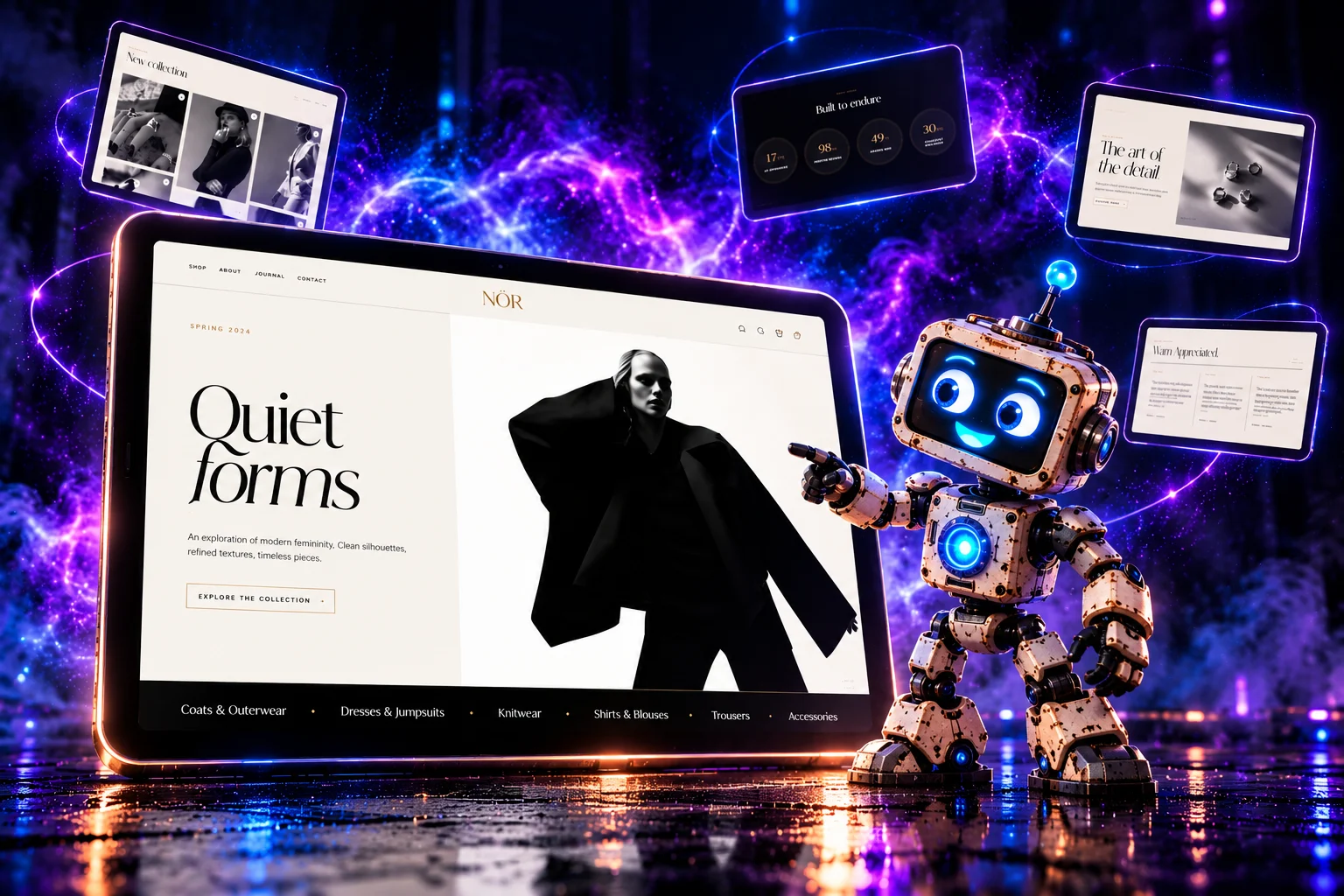
Most ready-made e-commerce themes follow a similar formula. They may be functional, but creating a truly distinctive brand identity becomes much more difficult.
What if your online store looked more like an exclusive fashion magazine than a traditional shopping platform?
That is exactly the idea behind NØR (Theme Black) – a custom OpenCart 4 theme developed by Design Cart. It combines minimalist aesthetics, fashion editorial photography, expressive typography, and extensive content management capabilities.
NØR was created for online stores where the way products are presented matters just as much as the products themselves.

1. The Problem: Online Stores Are Starting to Look the Same
Traditional e-commerce themes are usually designed as universal solutions. They need to work equally well for electronics, cosmetics, clothing, tools, and automotive parts.
However, this versatility comes at a price.
Products appear in nearly identical cards, homepages follow predictable layouts, and the most prominent visual element is often a brightly colored promotional button.
Meanwhile, in the world of fashion, jewelry, and premium products, customers purchase more than just an item.
They buy aesthetics. A lifestyle. A brand identity. Sometimes even a philosophy.
A well-designed online store should be able to communicate that story before a visitor even opens a product page.
NØR was developed to bring the visual language of luxury brands into the OpenCart ecosystem.
Instead of aggressive sales elements, it uses whitespace, contrast, large photographs, elegant headings, and carefully planned content hierarchy.
This does not mean sacrificing essential e-commerce functionality. The product catalog, search, shopping cart, customer accounts, and checkout process remain part of the OpenCart platform.
What changes is the way customers experience the store.
2. NØR – Fashion Editorial Aesthetics for E-Commerce
The first thing that distinguishes NØR is its visual identity.
The theme combines bright surfaces, deep blacks, subtle shades of gray, and delicate gold accents. The design is complemented by elegant typography inspired by contemporary fashion magazines.
Several elements define its appearance:
-
Photography – large images become the primary means of visual communication.
-
Typography – expressive headings establish the character of individual sections.
-
Whitespace – content has room to breathe instead of being unnecessarily crowded.
-
Contrast – alternating light and dark sections create a natural browsing rhythm.
-
Details – subtle borders, labels, separators, and accent colors complete the visual experience.
NØR is particularly suitable for products that benefit from sophisticated presentation, including clothing, jewelry, accessories, premium cosmetics, and designer collections.
However, the theme does not restrict the type of products a store can sell. Its aesthetics can also complement other industries where elegance and consistent branding are essential.
3. A Homepage That Tells Your Brand's Story
In a standard online store, the homepage often consists of little more than several product modules.
NØR takes a different approach.
The homepage is divided into independent sections that work together visually while remaining configurable through the administration panel.
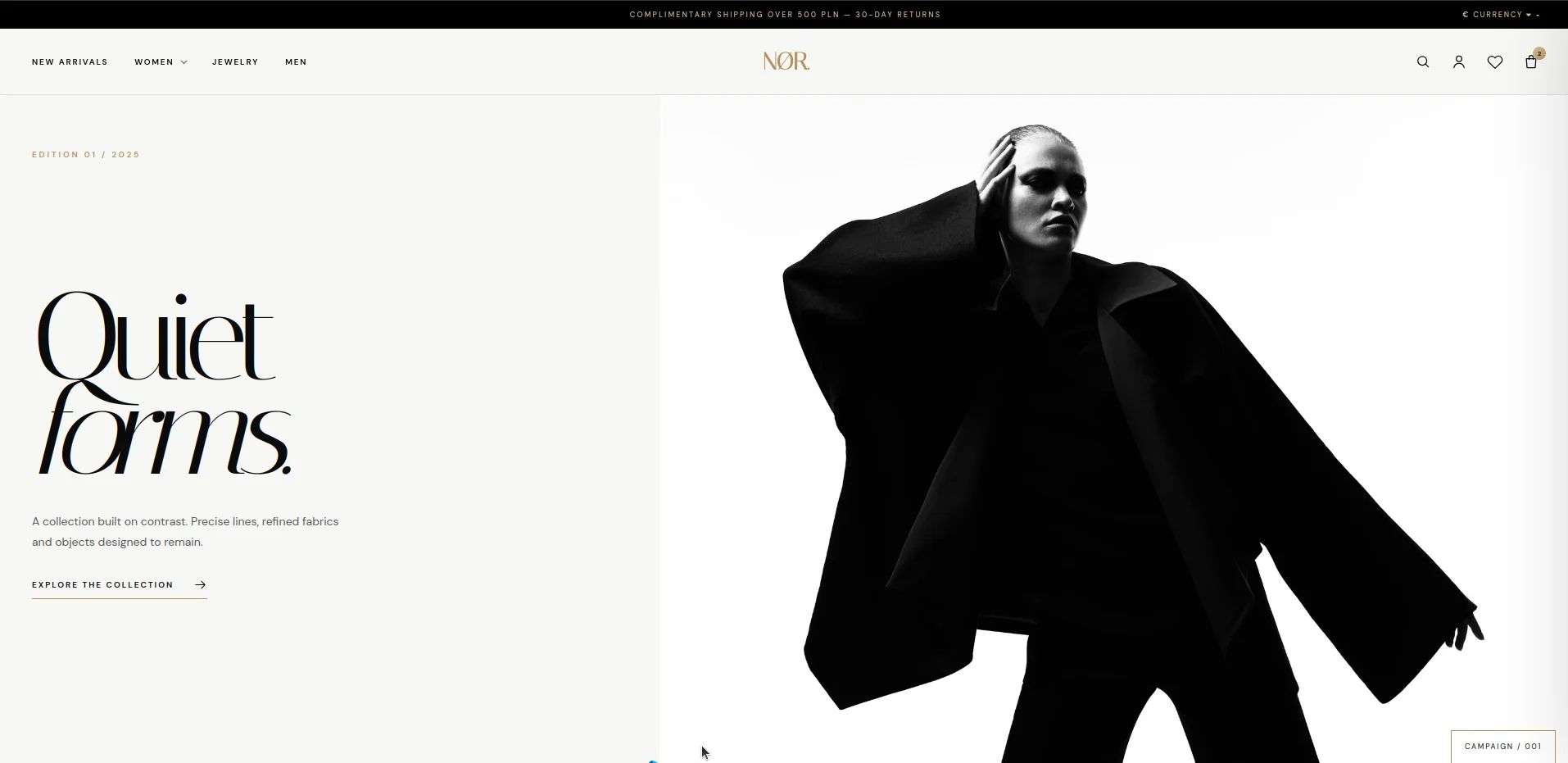
Hero – First Impressions Matter
The opening section provides space for a large collection photograph, a headline, supporting content, and calls to action.
Administrators can configure titles, text, images, labels, and CTA links directly from the theme settings.
As a result, launching a seasonal campaign or introducing a new collection does not require editing the theme's source files.
Marquee – An Additional Space for Brand Messages
Below the main banner, NØR can display a distinctive strip containing short messages.
This section is ideal for highlighting brand values, promoting collections, or communicating additional shopping benefits.
The marquee also creates a visual transition between the hero banner and the following sections.
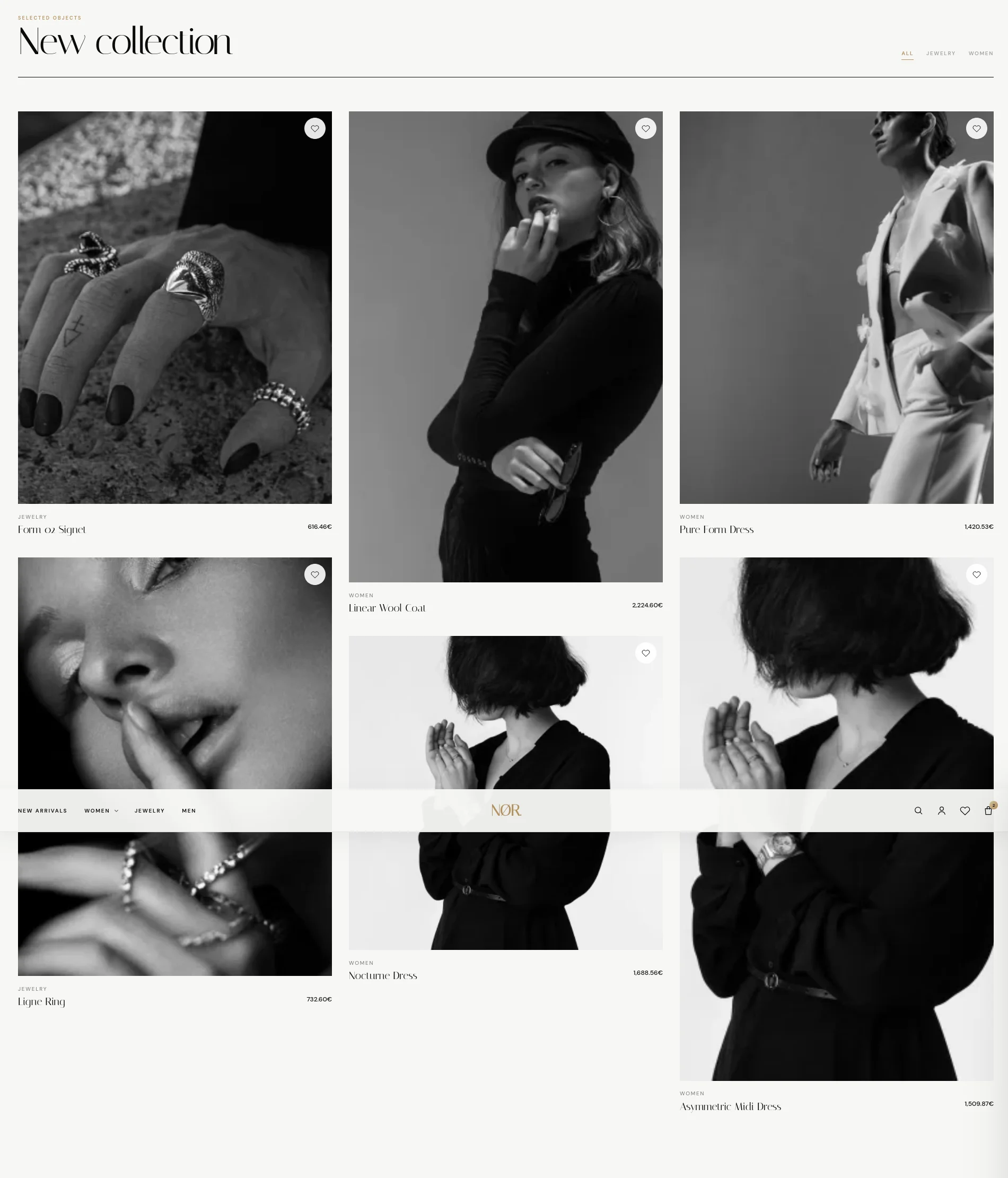
Collection – Products as Part of the Visual Composition
One of NØR's most important features is its collection section.
Instead of presenting products exclusively as identical cards, the theme allows them to form an engaging visual composition based on product photography.
Administrators can manually select which products appear on the homepage.
More importantly, category filters are generated automatically based on the categories assigned to the selected products .
There is no need to configure every category tab separately.
If no products are manually selected, the theme includes a mechanism for automatically choosing products to display.
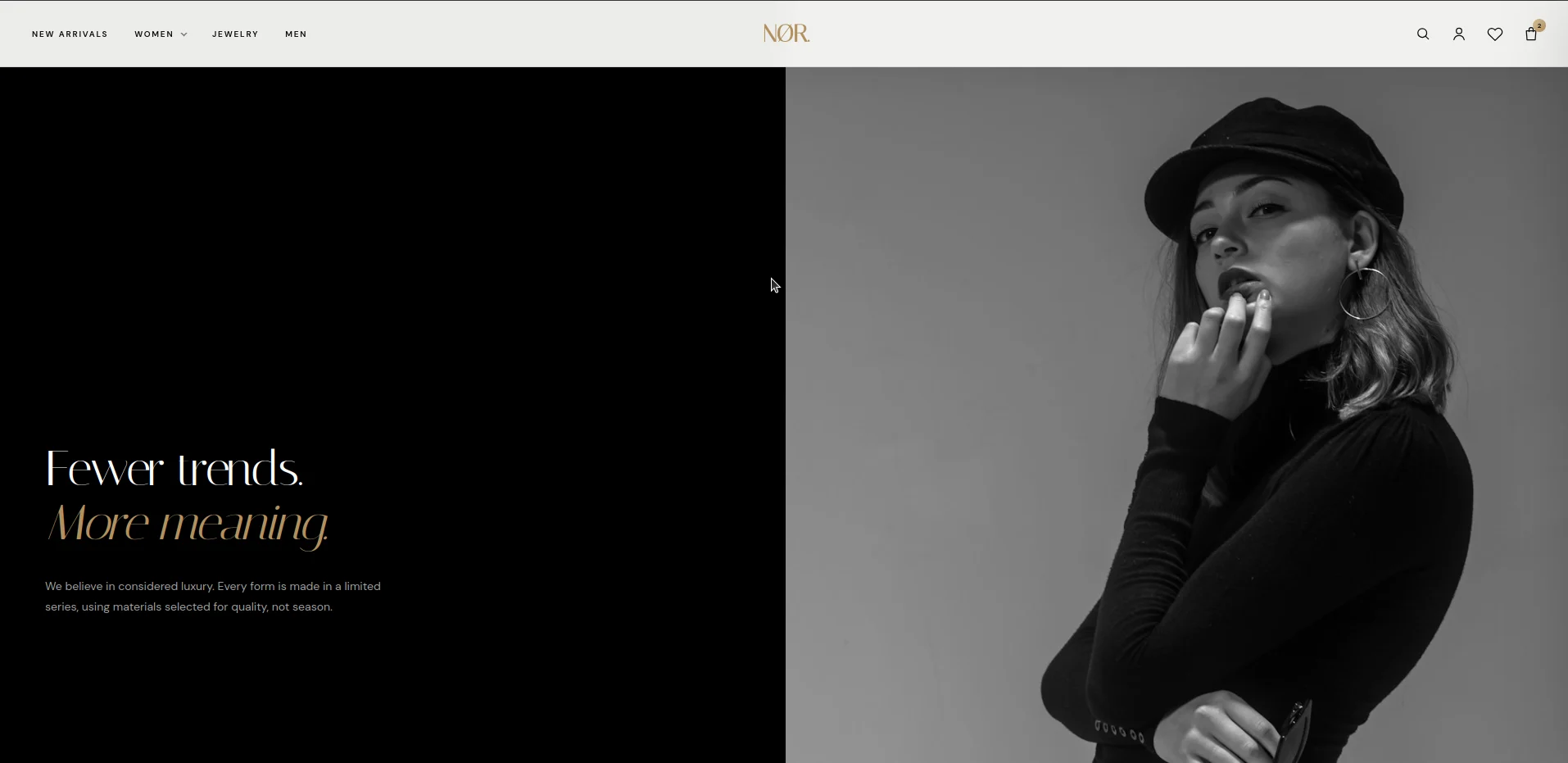
Manifest – Tell Customers What Your Brand Stands For
Not every section of an online store needs to encourage an immediate purchase.
Sometimes it is more important to explain why a brand exists and what values it represents.
The Manifest section combines photography with editorial content describing a company's philosophy, design approach, or collection identity.
This is particularly useful for independent labels, boutiques, and premium brands.
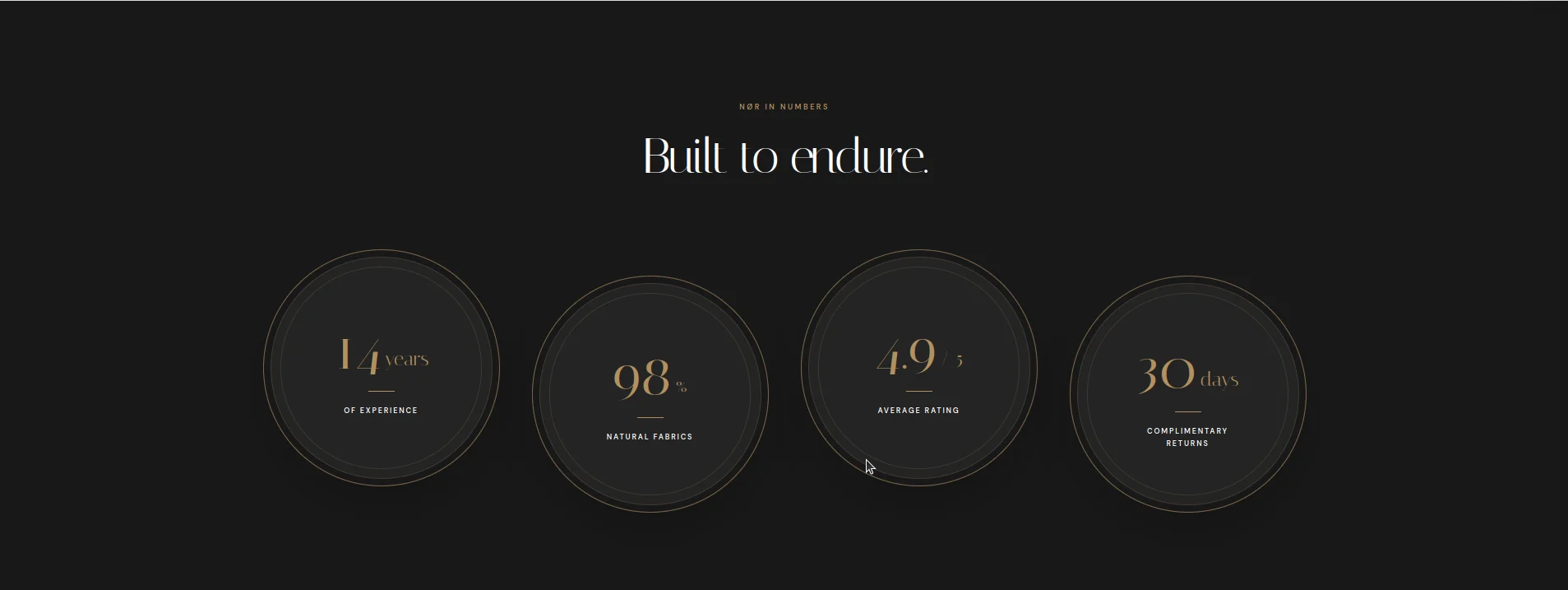
Metrics – Numbers That Build Credibility
Another homepage section presents important brand achievements through visually appealing statistics.
These might include years in business, completed orders, the size of a product collection, or other measurable achievements.
Both the numbers and their labels can be managed from the administration panel.
Reviews – Customer Feedback as Part of the Design
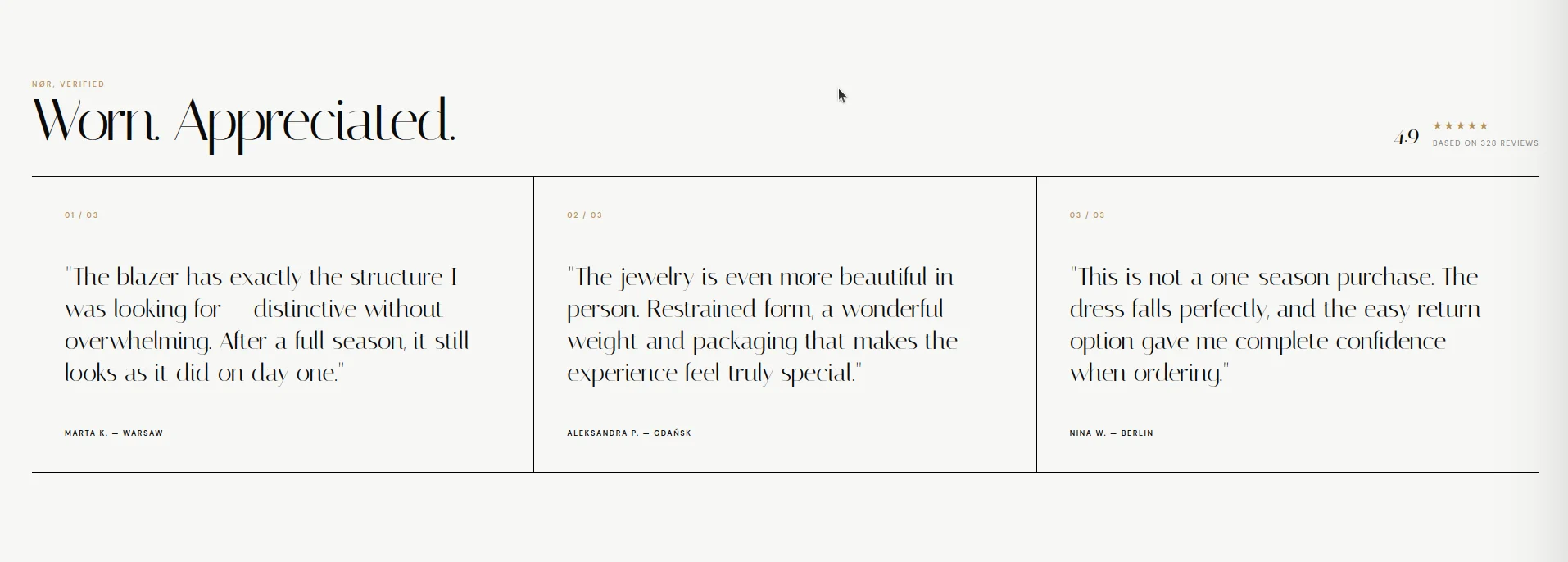
Customer reviews do not have to look like a conventional list of comments.
NØR includes a dedicated testimonials section where administrators can add review content, author information, star ratings, and additional presentation elements.
This allows customer recommendations to become part of the store's visual identity rather than an unrelated widget.
Blog – Give Your Brand a Voice
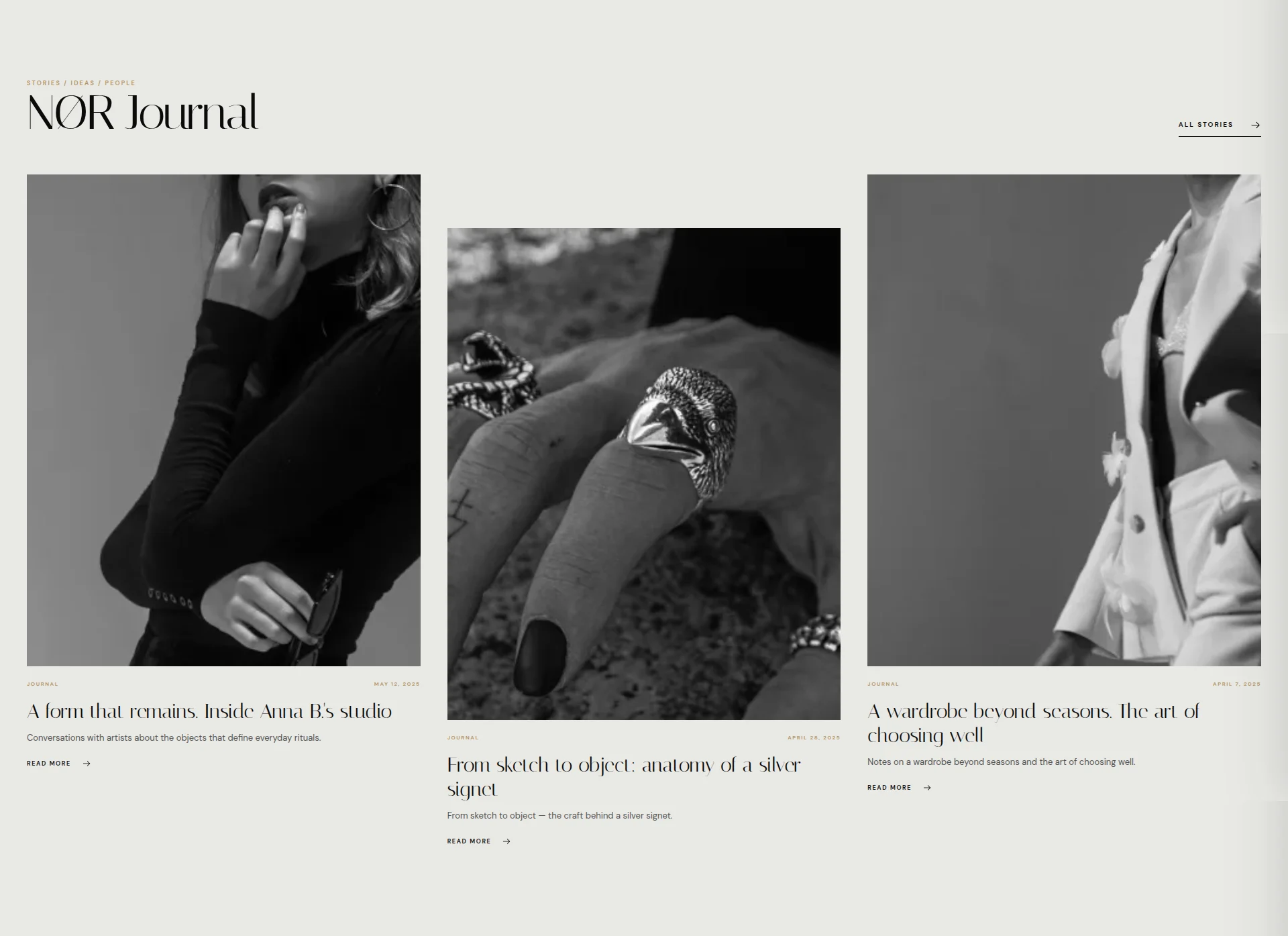
NØR also supports displaying blog articles on the homepage.
The section integrates with a CMS blog system available through
Catalog → Blog
.
Administrators can choose between two presentation methods:
-
Automatically displaying the latest articles.
-
Manually selecting specific blog posts.
Additional settings control the section's content, number of articles, and promotional text.
Important: This integration depends on the CMS blog functionality used by the theme. NØR includes article views, but these should not be confused with a complete, independent blogging platform.
4. Administration Panel – Manage Your Store Without Editing Code
A beautiful theme is only half the solution.
The other half is being able to manage it independently after the store has launched.
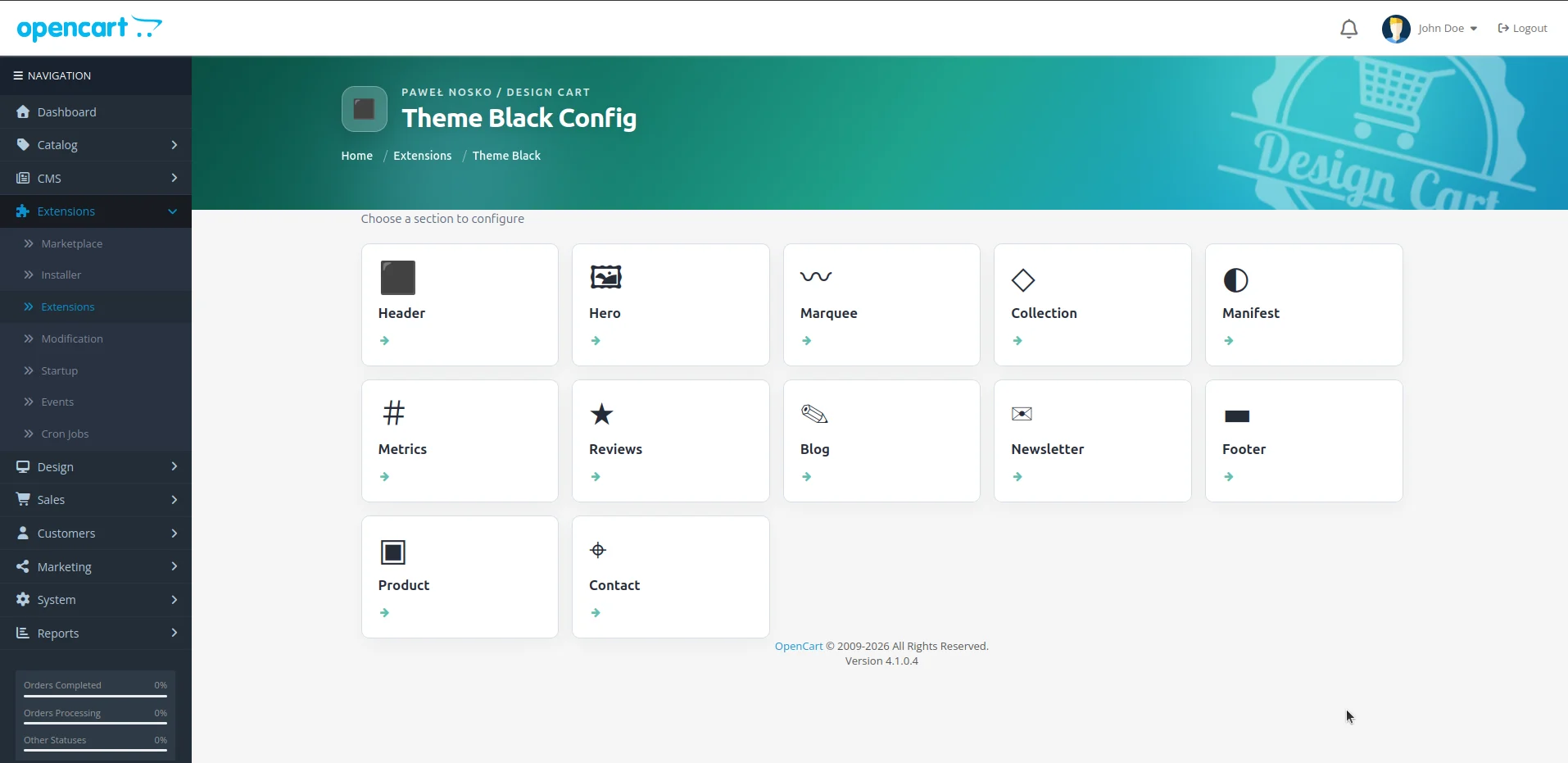
NØR includes an extensive administration panel divided into dedicated configuration sections.
| Section | Available Configuration |
|---|---|
| Header | Logo, announcement bar, button labels, and search labels |
| Hero | Main brand presentation, headlines, images, and CTA buttons |
| Marquee | Messages displayed in the scrolling strip |
| Collection | Manual selection of products featured on the homepage |
| Manifest | Editorial content and brand imagery |
| Metrics | Statistical values, labels, and section headings |
| Reviews | Testimonials, authors, and ratings |
| Blog | Article sources, post selection, and presentation settings |
| Newsletter | Form text, consent information, and subscriber management |
| Footer | Footer content, columns, links, and company information |
| Product | Product presentation settings |
| Contact | Contact details, form configuration, and map settings |
The panel also provides product and article selection tools, eliminating the need to enter identifiers manually.
Individual homepage sections can be enabled or disabled.
This is an important distinction compared with themes where most homepage content is hardcoded into HTML or Twig templates.
With NØR, routine content updates can be handled directly from the administration interface.
5. Built-In Newsletter and Subscriber Management
Building an email subscriber list is one way to establish long-term relationships with customers.
NØR includes its own newsletter subscription form and server-side subscription handling within OpenCart.
The administration panel provides access to the subscriber list and allows administrators to export email addresses to a CSV file.
This makes it possible to transfer subscriber data to a preferred external email marketing platform.
The subscription form also includes configurable consent text related to personal data processing.
It is important to note that a subscription form and CSV export do not constitute a complete email marketing platform.
Sending marketing campaigns requires an appropriate external solution, and the collection and management of consent should comply with applicable privacy regulations.
6. Beyond the Homepage – A Consistent Storefront Experience
A common problem with ready-made themes is that only the homepage receives a truly polished design.
As soon as customers navigate to a category, product page, or shopping cart, they encounter a completely different visual style.
NØR addresses this by providing custom Twig templates for multiple areas of the store, including:
-
Product categories and product listings.
-
Individual product pages.
-
Search results and special offers.
-
Manufacturer pages.
-
Shopping cart and checkout-related elements.
-
Customer account, login, and registration pages.
-
Wishlists.
-
Information and contact pages.
-
CMS blog articles and blog views.
This helps maintain a consistent visual identity throughout the shopping experience, not just on the first screen of the homepage.
Product Pages
For premium stores, product presentation is especially important.
The product page is where customers explore photographs, learn about the item, review available options, and ultimately make a purchasing decision.
NØR includes custom product page templates and product components used throughout the catalog.
These views are designed to complement the theme's minimalist visual identity.
Categories and Search
Custom category, search results, and manufacturer views help maintain a coherent appearance across the catalog.
Customers should not feel as though they are leaving a carefully designed brand experience when navigating from the homepage to the product listings.
7. Multilingual Support and Content Management
OpenCart is used by online stores operating in many different countries.
For this reason, a theme should not limit content management to a single language.
NØR uses a settings structure associated with the languages configured in OpenCart.
This makes it possible to prepare separate versions of many headings, labels, and content elements for different languages.
The mechanism relies on OpenCart language identifiers, allowing theme settings to reflect the store's language configuration.
This is particularly useful for brands targeting international customers.
8. Contact Information, Company Details, and Google Maps
For some brands, an online store is their only sales channel. Others also operate a showroom, workshop, boutique, or physical retail location.
NØR provides extensive configuration options for contact-related content.
Administrators can define contact details, communication channels, showroom information, and contact form fields.
The settings also include Google Maps integration parameters:
-
Google Maps API key.
-
Geographic coordinates.
-
Zoom level.
-
Custom map styling in JSON format.
This allows the map to better match the brand's visual identity.
When an API key has not been configured, the theme provides a decorative fallback map view.
9. Built for OpenCart 4 – More Than a Collection of Templates
NØR was developed as a Theme extension for OpenCart 4.
The installation package includes custom view templates, controllers, stylesheets, JavaScript files, language resources, and an administration interface.
One of its important technical characteristics is the use of OpenCart's event system.
The theme registers events that allow the platform to load its custom Twig views when the theme is active.
Instead of requiring manual modification of numerous original storefront files, the custom templates are stored within the extension directory.
The project also includes custom image-handling mechanisms and navigation components.
Bootstrap, additional CSS, and JavaScript are included to support the storefront interface.
This structure creates a clearer separation between the OpenCart platform's business logic and the store's presentation layer.
For developers, that separation is particularly valuable when maintaining and extending a project.
10. How to Install NØR in OpenCart
NØR is distributed as an OpenCart extension package:
pn_black.ocmod.zip
Installation uses the standard OpenCart 4 extension installation mechanism.
Step 1. Create a Backup
Before installing a new theme, create a backup of your store's files and database.
This is particularly important for existing stores that use additional extensions modifying catalog templates or other storefront components.
Step 2. Open the Extension Installer
Log in to your OpenCart administration panel and navigate to the extension installation section.
Step 3. Upload the Package
Select the
pn_black.ocmod.zip
file and complete the installation process.
Step 4. Install and Activate the Theme
Navigate to the extensions section, select the Themes extension type, locate Theme Black, and activate it using the interface provided by your OpenCart version.
Step 5. Configure the Homepage
Open the Theme Black settings panel and configure your logo, hero banner, product collections, brand content, and other homepage sections.
Step 6. Test the Storefront
After activating the theme, review the homepage, categories, product pages, shopping cart, contact forms, and mobile layout.
If your store uses extensions that modify Twig templates, verify that they work correctly alongside the new theme.
Compatibility note: The analyzed package identifies the theme as version 1.0.0 for OpenCart 4. Before publishing an exact compatibility range, it is advisable to test the theme against specific OpenCart releases.
11. Who Is NØR Designed For?
NØR is not trying to be an electronics store, a construction equipment catalog, and a general-purpose marketplace all at once.
Its strength lies in its clearly defined creative direction.
The theme is particularly well suited to stores selling products that deserve carefully crafted visual presentation.
Potential applications include:
-
Fashion brands and online boutiques.
-
Jewelry and accessories stores.
-
Independent fashion collections.
-
Premium cosmetics brands.
-
Designer and lifestyle product stores.
-
Businesses building a recognizable identity around quality and aesthetics.
Importantly, a store does not need hundreds or thousands of products to benefit from this approach.
NØR can also be an attractive solution for smaller, carefully curated collections where every product deserves its own visual space.
12. Download the NØR OpenCart Theme
NØR was developed by Design Cart for the OpenCart 4 platform.
The installation package is distributed in
.ocmod.zip
format, and the analyzed release is identified as version 1.0.0 .
Download NØR:
-
Design Cart – [Project page link]
-
OpenCart Marketplace – [Theme download link]
Before downloading, review the technical requirements, OpenCart compatibility information, license conditions, and update policy.


13. Final Thoughts – Fewer Elements, Stronger Identity
When designing an online store, it is easy to fall into the trap of continuously adding new features, modules, and visual elements.
A bigger banner. A brighter button. Another promotion. Yet another homepage section.
But sometimes the best solution is the exact opposite.
Remove unnecessary distractions. Organize the content. Give photography and typography the space they need to represent the brand.
NØR demonstrates that OpenCart can power an online store whose visual identity is closer to a luxury fashion magazine than a conventional e-commerce website.
It is more than a collection of visual templates.
It also provides an administration interface for managing collections, editorial content, testimonials, statistics, and customer communication.
Because a great online store should do more than sell products.
It should make customers remember the brand.

Paweł Nosko
Paweł Nosko — a developer and founder of Design Cart, active in the IT industry since 2009 and focused on e-commerce since 2011. He specializes in building online stores and advanced product configurators. He has delivered over 100 projects, working with platforms such as OpenCart, PrestaShop, Magento, and WooCommerce. He combines technical expertise with a business mindset — his solutions don’t just work, they sell. On his blog, he shares practical insights, tests, and analysis of e-commerce tools — no theory, just real experience.